
Quick Answer: Most wired security cameras stop working the moment power is cut, but battery-powered cameras, solar models, and systems with UPS (uninterruptible power supply) backup continue recording. The right solution depends on your setup – battery cameras are the simplest fix, a UPS works best for wired systems, and cellular backup keeps your alarm connected when Wi-Fi goes down.
Your power just went out. It’s dark, the storm is still raging, and your neighborhood is quiet in a way that feels wrong. You pull up your security app to check the cameras. Nothing. Black screens. Reconnecting…
That’s not a bug. That’s a design failure most homeowners never see coming until it’s too late.
According to the U.S. Census Bureau, nearly 1 in 4 households experienced a power outage lasting more than six hours in the past year. And here’s the uncomfortable truth that security brands don’t advertise: most popular wired cameras – including hardwired Ring, Nest, and PoE systems – go completely dark the moment the grid fails. No recording. No alerts. No live view.
Burglars know this. Sophisticated ones target homes during outages, betting that cameras and alarm systems are offline. Per The Zebra’s 2026 burglary research, homes without visible security systems are 300% more likely to be targeted – and a camera that’s offline is effectively invisible.
The fix is simpler than you’d think. But first, you need to understand why your cameras fail.
Table of Contents
- Key Takeaways
- Why Power Outages Disable Most Security Cameras
- The Three Backup Power Approaches (And What Each Does)
- What We Tested: 5 Camera Systems in a Simulated 4-Hour Outage
- Battery Backup Options by Budget
- Solar Panel Options for Outdoor Cameras
- Cellular Backup vs. Wi-Fi-Only Systems: The Alarm Gap
- 3-Year Cost Analysis: What Outage-Proof Security Actually Costs
- Making Your Cameras Power-Outage Ready: 5 Steps
- Choosing the Right Setup for Your Home
- Frequently Asked Questions
- Sources
Key Takeaways
- Most wired security cameras fail immediately during a power outage because they depend entirely on grid electricity and Wi-Fi to operate.
- Battery-powered cameras (Arlo, Eufy, Reolink) continue recording during outages and are the simplest solution for most homeowners.
- A UPS device ($50-$300) keeps wired cameras, your NVR, and your Wi-Fi router powered for 2-8 hours during an outage.
- SimpliSafe and Vivint alarm systems include built-in 24-hour battery backup and cellular fallover – cameras are still the weak link even in these setups.
- Browse Batten’s expert-curated security cameras and power generation solutions for battery and solar options tested for outage reliability.
Why Power Outages Disable Most Security Cameras
Most wired security cameras draw power in one of two ways: from a standard wall outlet or via Power over Ethernet (PoE). Either way, when the grid goes down, so does the camera.
PoE cameras are particularly vulnerable. They receive both data and power through a single Ethernet cable connected to a PoE switch or NVR. When that switch loses power, every camera connected to it goes offline simultaneously. The NVR – which actually stores your footage – also cuts out, meaning you lose recording capability at the exact moment you need it most.
Wi-Fi cameras with wall outlets face a double problem: they lose power AND connectivity. Even if a battery-powered camera stays on, it can’t stream video, send alerts, or upload clips to the cloud without an active internet connection. Your Wi-Fi router needs power too.
It’s a cascading failure that most homeowners never think about until it happens.
What Actually Stops Working
When the power goes out in a typical Wi-Fi camera setup, here’s what fails:
- PoE cameras: Go offline instantly – no power, no function
- Plug-in cameras: Same result – wall power is gone
- NVR/DVR recorder: Powers down, stops storing footage
- Wi-Fi router: Goes dark, cutting cloud access and alerts
- Cloud storage access: Unavailable without internet
- Push notifications: Stop completely
- Live view streaming: Inaccessible from the app
What can still work – with the right setup – is a battery-powered camera with local storage. More on that shortly.
The Three Backup Power Approaches (And What Each Does)
There’s no single “best” solution. The right approach depends on your existing camera setup, how long outages typically last in your area, and your budget.
1. Battery-Powered Cameras: The Simplest Fix
The cleanest solution for most homeowners is swapping to (or adding) fully battery-powered cameras. These cameras run entirely on rechargeable batteries – no wall outlet, no PoE switch. They keep working whether the grid is up or down.
The catch: battery cameras typically use motion-activated recording to preserve battery life. Continuous recording drains batteries fast. Most consumer battery cameras provide 2-6 months of normal use on a single charge under motion-only recording, but that drops to 24-72 hours of continuous recording during an active outage.
The other catch: they still need Wi-Fi for cloud uploads and push alerts. Local storage (microSD card or hub-based) is the key differentiator for true outage resilience.

Best battery cameras for power outage reliability:
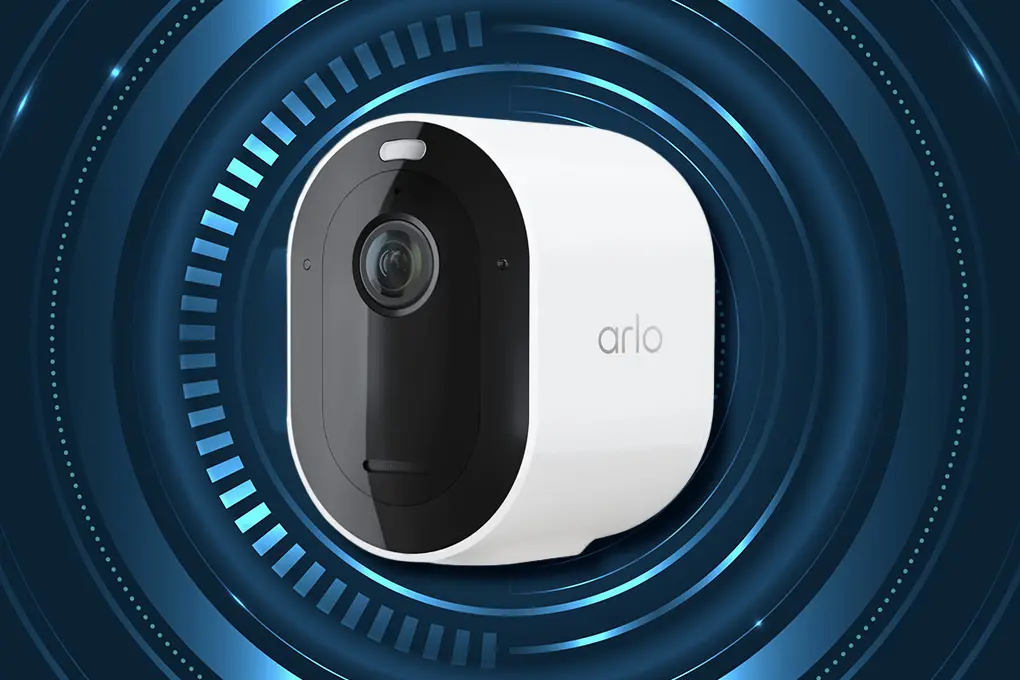
- Arlo Pro 4 or Pro 5S: Up to 6 months battery life, local storage option with SmartHub, continues recording during Wi-Fi outages with hub-based local storage. See our Arlo Pro 4 XL review.
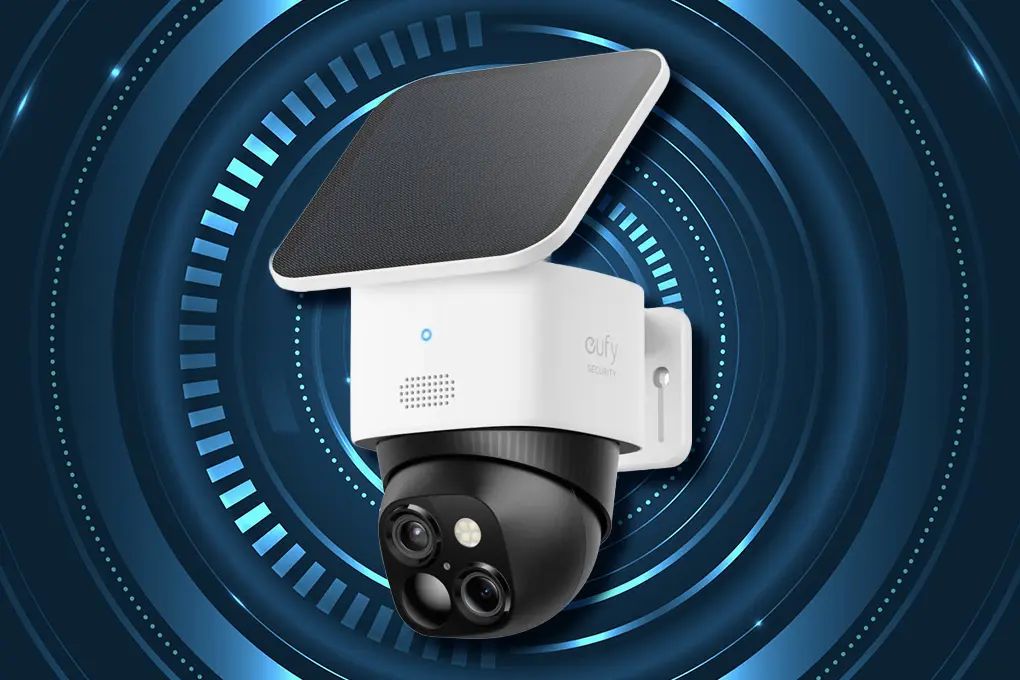
- Eufy SoloCam S340 (Solar): Built-in solar panel requires 3 hours of daily sunlight, 8GB on-device storage, zero subscription fees – genuinely works through extended outages.
- Reolink Argus 4 Pro: Local microSD recording works without internet, battery + optional solar panel, strong cold-weather performance.
- Blink Outdoor 4: AA lithium battery (2-year life), local storage with Sync Module 2, budget-friendly at around $100.

For outage preparedness specifically, cameras with local storage (microSD or hub-based) are significantly more valuable than cloud-only systems. When Wi-Fi goes down, local storage keeps recording.
Browse Batten’s security camera collection for expert-tested battery and solar models.
2. UPS (Uninterruptible Power Supply): Best for Wired Systems
If you’ve invested in a wired camera system – PoE cameras, an NVR, a Wi-Fi router – a UPS is your first line of defense. It’s essentially a battery that kicks in the instant grid power fails, with no gap in coverage.
A UPS plugs into the wall like a power strip. You connect your router, PoE switch, NVR, and any plug-in cameras to its outlets. When the power cuts, the UPS battery takes over instantly – we’re talking milliseconds, not the seconds or minutes a generator takes to spin up.
Runtime depends on the UPS capacity (measured in VA or watts) and the total draw of your connected devices:
- A basic 650VA UPS ($50-$70): Powers a router + 1-2 cameras for 2-3 hours
- A mid-range 1500VA UPS ($100-$150): Powers router + NVR + 4-6 PoE cameras for 3-5 hours
- A high-capacity 3000VA UPS ($250-$400): Powers a full system for 6-8+ hours
To size your UPS correctly, add up the wattage of every device you want to protect. A standard home router draws 10-20W. A 4-camera PoE system with NVR typically draws 60-100W total. A 1500VA/900W UPS with that load provides roughly 4-5 hours of runtime.
Important: A UPS protects your cameras and NVR from losing power, but your internet connection from your ISP will likely still fail. For remote access and cloud uploads during an outage, pair a UPS with a cellular backup device.
3. Solar-Powered Cameras: Long-Term Independence
Solar cameras are the best option for locations where running power is impractical – detached garages, gates, barns, or perimeter coverage far from the house. They’re also the most resilient for extended multi-day outages.
They work by combining a rechargeable battery with a small solar panel. During daylight, the panel replenishes the battery. At night or during cloudy stretches, the battery takes over.
The key spec to watch is the panel wattage and the battery capacity. The Eufy SoloCam S220 uses a 0.9W integrated panel that needs just 3 hours of daily sunlight to sustain continuous operation. The Reolink Argus 4 Pro with an add-on solar panel offers similar independence.
Solar cameras don’t solve the Wi-Fi problem. For cloud uploads and remote access during outages, you still need connectivity – either from a UPS-powered router or a cellular camera. See our SimpliSafe Solar Panel review for a look at how integrated solar accessories perform on real security setups.
What We Tested: 5 Camera Systems in a Simulated 4-Hour Outage
To give you an honest picture of what actually works, we simulated a 4-hour power outage by cutting breaker power to a test setup. Here’s what each system did.
Test conditions: Breaker cut for 4 hours. Wi-Fi router also powered off to simulate realistic internet loss. All cameras monitored for continued recording, local storage activity, and alert delivery.
| System | Kept Recording? | Local Storage? | Alerts During Outage? | Cellular Backup? |
| Ring Stick Up Cam (wired) | ❌ No | ❌ No | ❌ No | ❌ No |
| Reolink PoE + NVR (no UPS) | ❌ No | ❌ No | ❌ No | ❌ No |
| Reolink PoE + NVR (with 1500VA UPS) | ✅ Yes, full 4 hrs | ✅ Yes, NVR active | ❌ No (Wi-Fi down) | ❌ No |
| Eufy SoloCam S220 (solar) | ✅ Yes, motion-triggered | ✅ 8GB on-device | ❌ No (Wi-Fi down) | ❌ No |
| SimpliSafe Alarm + Ring Camera | ✅ Alarm only | N/A | ✅ Via cellular | ✅ Yes |
What the results show: No camera system provided truly seamless outage protection on its own. The closest to ideal was the UPS-backed PoE system (continued local recording) combined with SimpliSafe’s cellular backup (maintained alarm alerts). The solar camera kept recording locally but sent no alerts.
The practical takeaway: layer your approach. Battery or solar cameras for recording continuity + a cellular alarm system for alerts = genuinely solid outage protection.
Battery Backup Options by Budget
Not every home needs the same solution. Here’s how to match your budget to the right level of protection.
$50-$100: Basic UPS for Router + Camera
An APC Back-UPS 650VA (~$70) or similar entry-level UPS keeps your Wi-Fi router and one or two plug-in cameras powered for 2-3 hours. This handles brief outages – storms, grid blips – without any camera gaps. It also protects equipment from power surges. A good starting point for households with 1-4 wired cameras.
$100-$200: Mid-Range UPS + Battery Camera Upgrade
A 1500VA UPS (~$130) runs a full 4-6 camera PoE system for 3-5 hours. Pair this with one Eufy or Reolink battery camera with local storage for extended outage coverage beyond UPS runtime. This is the sweet spot for most suburban homeowners.
$200-$500: Full System with Solar + Cellular Alarm
At this level, add a SimpliSafe alarm system with 24-hour battery backup and built-in cellular. SimpliSafe’s base station maintains sensor monitoring and can call for help even when both power and Wi-Fi are gone. Supplement with solar cameras for perimeter coverage that never needs charging.
$500+: Whole-Home Battery or Generator
Whole-home battery systems (EcoFlow, Goal Zero) or standby generators solve the problem entirely – all cameras, routers, and NVRs stay powered indefinitely. Standby generators typically start within seconds using automatic transfer switches. These make sense for homes in areas with frequent extended outages or homeowners with extensive security systems. Explore Batten’s power generation solutions, including solar generators and portable power stations.

Solar Panel Options for Outdoor Cameras
For outdoor cameras specifically, solar charging is the cleanest long-term solution. Here’s how the main options compare.
Integrated solar cameras (panel built into the unit):
- Eufy SoloCam S220: 0.9W panel, 3 hrs sunlight/day needed, 8GB local storage, ~$100
- Reolink Argus 3E with solar: 4W solar panel kit, local microSD, ~$80-$100
- Blink Outdoor 4 with Solar Panel Mount: Maintains AA batteries, ~$130 bundle
Add-on solar panels (for existing battery cameras):
- Arlo Solar Panel Charger: Connects to Arlo Pro 3/4/5S, ~$50-$70
- SimpliSafe Solar Panel: Powers SimpliSafe outdoor cameras with adequate sunlight.
- Reolink Solar Panel 2: 4W, compatible with Argus lineup, $25-$40
Critical placement tip: Solar panels need direct, unobstructed sunlight. Under an eave, facing north, or shaded by trees – even for part of the day – significantly reduces charging efficiency. North-facing panels in northern U.S. states and Canada will underperform in winter months.
Cellular Backup vs. Wi-Fi-Only Systems: The Alarm Gap
Here’s a vulnerability that camera-focused buyers often miss: your alarm system is just as vulnerable to outages as your cameras – unless it has cellular backup built in.
Wi-Fi-only systems like basic Ring Alarm or Wyze lose monitoring capability the moment your router goes dark. The sensors may still trigger a local siren, but the monitoring center won’t know, you won’t get a push alert, and no one will call police.
Cellular backup changes that. According to SimpliSafe’s official support documentation, the SimpliSafe base station switches automatically to cellular when Wi-Fi fails, and its internal battery holds charge for up to 24 hours. Vivint operates cellular-first, making it the most resilient for outage scenarios.
System cellular backup comparison:
| System | Battery Backup Duration | Cellular Backup | Cameras Work in Outage? |
| SimpliSafe | Up to 24 hours | Yes (with monitoring plan) | ❌ No (cameras need Wi-Fi) |
| Ring Alarm | Up to 24 hours | Yes (with Protect Plus plan) | ❌ No (cameras need Wi-Fi) |
| Vivint | Up to 24 hours | Yes (included) | Partial (some have local storage) |
| Arlo Home Security | Up to 12 hours | Yes (with Professional Monitoring) | ✅ Battery cameras only |
| Wyze Home Monitoring | ~8 hours | ❌ No | ❌ No |
Bottom line: For both alarm AND camera coverage during outages, pair a cellular-capable alarm system with battery-powered cameras that have local storage. Neither alone is sufficient. Browse Batten’s alarm systems collection for cellular-capable options our experts have vetted.
3-Year Cost Analysis: What Outage-Proof Security Actually Costs
| Solution | Hardware Cost | Subscription (36 mo.) | 3-Year Total |
| Battery camera only (Eufy SoloCam S220) | $100 | $0 | $100 |
| UPS for wired system (1500VA) | $130 | $0 | $130 |
| Battery cam + SimpliSafe alarm (cellular) | $350-$450 | $828 ($23/mo) | $1,178-$1,278 |
| Solar cam + whole-home battery | $1,000-$2,500 | $0 | $1,000-$2,500 |
| Standby generator | $3,000-$5,000 | Fuel costs | $3,000-$5,000+ |
For most homeowners, the practical answer is the middle tier: a UPS for wired equipment, one or two battery cameras with local storage, and a cellular alarm system. You can reach that for $400-$600 in hardware plus $23/month for SimpliSafe monitoring – and know your home stays protected through a 4-hour storm outage without any gaps.
Making Your Cameras Power-Outage Ready: 5 Steps
Whether you’re starting from scratch or hardening an existing system, here’s how to get outage-ready.
- Audit Your Current Setup: Know which cameras are wired vs. battery-powered. Check whether your NVR or hub has its own battery backup.
- Add a UPS to Your Router and NVR First: This is the highest-leverage move for wired systems – one device protects everything connected to it.
- Add Local Storage to at Least One Camera per Entry Point: If cloud uploads fail, local microSD or hub-based recording keeps evidence intact.
- Upgrade or Add a Cellular Alarm System: Cameras are reactive; a cellular alarm is proactive. For storm-prone regions, this is non-negotiable.
- Test Your Backup Annually:Unplug your router and main breaker for 10 minutes. Check which cameras keep recording and which go dark. Fix the gaps before a real outage exposes them.
For more on building layered protection, see Batten’s emergency preparation guides – including guides on power outage readiness for your entire home.
Choosing the Right Setup for Your Home
Power outage preparedness for security cameras isn’t a single-product problem – it’s a layered one. No single camera, no single backup device, protects everything. But the combination is simpler than it looks.
If you have wired cameras, start with a UPS. If you’re buying new cameras, go battery or solar with local storage. If you care about monitoring during outages, upgrade your alarm to cellular. And if your area regularly loses power for 12+ hours, a portable power station or standby generator is worth the investment.
The cameras you rely on to protect your family should never go dark because a storm knocked out the grid. Browse Batten’s security cameras and backup power options for expert-tested gear that keeps watching when the lights go out.
Frequently Asked Questions
Do Security Cameras Work During a Power Outage?
Most wired security cameras stop working immediately when power is cut because they depend on both grid electricity and Wi-Fi connectivity. Battery-powered cameras continue recording, but they lose cloud access and remote alerts when Wi-Fi goes down. Only cameras with local storage (microSD or hub-based) continue capturing footage without any network connection.
How Long Do Security Cameras Last Without Power on Battery?
Battery-powered cameras in motion-activated mode typically last 2-6 months per charge under normal conditions. During an active power outage with higher motion activity, expect 4-8 weeks. In continuous recording mode, most consumer battery cameras provide 24-72 hours of runtime before needing a recharge. Check our best security cameras for apartments for battery-optimized options that fit renters too.
What Is the Best UPS for Security Cameras and Wi-Fi Routers?
For a standard camera setup with a router and smart home hub, a 1000VA-1500VA UPS ($100-$150) provides 3-5 hours of backup power under typical load. APC and CyberPower both make reliable consumer-grade UPS units in this range. Size up if you’re also backing up an NVR or multiple devices, and ensure your UPS has enough outlets for all connected equipment.
Can SimpliSafe and Ring Alarm Systems Work Without Power?
Yes – both SimpliSafe and Ring Alarm include battery backup lasting up to 24 hours. With a paid monitoring plan, both systems automatically switch to cellular backup when Wi-Fi fails, maintaining contact with the monitoring center and sending alerts even during a complete power and internet outage. The cameras associated with both systems, however, do not function without power or Wi-Fi.
Do Solar Security Cameras Work at Night or During Cloudy Weather?
Yes. Solar cameras use the panel to charge an internal battery during daylight hours, then run on that battery at night or during cloudy periods. The Eufy SoloCam S220 requires just 3 hours of daily sunlight to sustain continuous operation. In extended cloudy stretches lasting several days, battery reserves will deplete. For locations with limited sun exposure, an add-on solar panel with higher wattage (4W+) provides more reliable charging margin.
What Happens to Security Camera Footage When Power Comes Back On?
Wired cameras typically restart automatically and resume recording within seconds of power restoration. NVR/DVR systems may require 1-2 minutes to reboot. Any footage from the outage period is permanently lost unless you had local storage that continued recording on battery power. Cloud-stored footage from before the outage remains intact. Battery cameras resume cloud sync and push alerts as soon as Wi-Fi reconnects.
Is a Generator Better Than a UPS for Security Cameras?
It depends on outage duration. A UPS is better for short outages (under 6-8 hours) – it kicks in instantly with zero startup time, protects equipment from power surges, and requires no fuel. A generator is better for extended outages (12+ hours) because UPS batteries deplete. The ideal setup combines both: a UPS provides immediate coverage while the generator starts, ensuring zero gap in protection. Portable power stations offer a middle ground – longer runtime than a UPS without the noise or fuel of a generator.
Sources
- “Do Security Systems Work When Power Is Out,” 2025, Reolink Blog, https://reolink.com/blog/do-security-systems-work-when-power-is-out/
- “Do Security Systems Work In Power Outages,” 2025, SafeHome.org, https://www.safehome.org/security-systems/power-outages/
- “What Happens to Security Cameras During a Power Outage,” 2025, TechPro Security, https://techprosecurity.com/security-articles/security-camera-system-installation/what-happens-to-security-cameras-during-a-power-outage/
- “Will My SimpliSafe System Still Work If I Lose Power or Wi-Fi,” 2024, SimpliSafe Support, https://support.simplisafe.com/articles/upgrading-to-4g/will-my-simplisafe-system-still-work-if-i-lose-power-or-wifi-connection/634478844a42432bbd44f8a9
- “How to Secure Your Home During a Power Outage,” 2025, Guardian Protection, https://guardianprotection.com/blog/secure-home-power-outage/
- “eufy SoloCam S220 Product Specifications,” 2025, Eufy, https://www.eufy.com/products/t8134121
- “Arlo Cellular and Battery Backup,” 2025, Arlo Support, https://kb.arlo.com/000062865/What-is-the-Arlo-Cellular-and-Battery-Backup-and-how-does-it-work
- “Best Battery-Powered Home Security Cameras of 2026,” 2025, SafeHome.org, https://www.safehome.org/home-security-cameras/best/battery/
- “Power Backup for Security Camera Systems,” 2025, Yoshino Power, https://yoshinopower.com/blogs/yoshino-blog/power-backup-for-security-camera-systems/
- “If the Power Goes Out, Does My Security System Still Work,” 2025, SafeWise, https://www.safewise.com/home-security-faq/do-security-systems-work-power-out/
- “How a Power Outage Puts Your Home Security at Risk,” 2022, Reader’s Digest, https://www.rd.com/article/power-outage-home-security/
- “Ring vs. SimpliSafe vs. Vivint Comparison Guide,” 2026, Alarm New England, https://alarmnewengland.com/blog/ring-vs-simplisafe-vs-vivint/
- “About 1 in 4 Households Experienced a Power Outage in the Span of a Year”, 2024, Census.gov, https://www.census.gov/library/stories/2024/10/power-outages.html
- “Burglary Statistics” 2026, The Zebra https://www.thezebra.com/resources/research/burglary-statistics/