
Quick Answer: Most wired security cameras stop working the moment power is cut. Battery-powered, solar-powered, and UPS-backed cameras keep recording during outages – and pairing any of them with a cellular-backup alarm system maintains monitoring even when Wi-Fi goes down.
Power outages expose the weak points in most home security setups fast. Cameras lose power, Wi-Fi drops offline, and remote monitoring can disappear right when you need it most. The good news: with the right mix of battery backup, solar power, local storage, and cellular connectivity, you can keep your cameras and alarm system running even during extended blackouts.
Table of Contents
- Key Takeaways
- When the Grid Goes Down, Most Cameras Go With It
- Do Security Cameras Work Without Power? Understanding the Types
- The Best Cameras for Security Monitoring During Power Outages
- Security Camera Backup Power Comparison
- Security System Backup Power: Keeping Your Alarm Online During a Blackout
- UPS for Security Cameras: How to Keep Wired Cameras Running
- Power Outage Home Security Tips: A Quick Checklist
- Making Your Security Outage-Ready
- Frequently Asked Questions
- Sources
Key Takeaways
- During a power outage, wired and PoE security cameras go dark immediately unless paired with a UPS or backup generator.
- Battery-powered cameras keep recording locally during blackouts but lose remote access and cloud alerts when Wi-Fi fails alongside power.
- Solar-powered cameras with on-device storage offer the most self-sufficient outage protection for outdoor coverage points.
- A cellular backup alarm system is the only reliable way to maintain professional monitoring and real-time alerts when both power and internet are down.
- Browse Batten’s battery-powered and solar security cameras for expert-tested options built to keep recording when the grid fails.
When the Grid Goes Down, Most Cameras Go With It
Power outages are more common than most homeowners expect. According to the U.S. Energy Information Administration, the average U.S. electricity customer experienced roughly five and a half hours of power interruptions in 2022 – and that figure climbs significantly in states prone to severe weather.
Florida averaged over 19 hours of outages that year. For home security, the impact is immediate: most wired cameras, including hardwired doorbells and PoE (Power over Ethernet) systems, draw power directly from your home’s electrical circuit. When that circuit dies, so does your surveillance.
The problem compounds when Wi-Fi drops at the same time – which it almost always does. Without Wi-Fi, cloud-connected cameras can’t send footage, push alerts, or allow live remote viewing, even if they have a local power source. That combination leaves most standard camera setups completely blind during exactly the moments when security risks are highest.
Research from the UNC Department of Criminal Justice & Criminology, which surveyed over 400 convicted burglars, found that half considered visible outdoor security cameras effective deterrents – and that they actively looked for signs that security measures were inactive before targeting a home. A dark, camera-less property during a neighborhood outage sends exactly that signal.
Do Security Cameras Work Without Power? Understanding the Types
Not all security cameras respond to power outages the same way. Your camera’s power source determines whether it keeps recording, goes dark, or stays partially functional.
Wired and PoE Cameras
Hardwired cameras and PoE cameras that pull electricity from your network switch or NVR go completely offline when grid power is cut – unless a UPS is protecting the circuit. No power means no recording and no footage if something happens during the outage.
Battery-Powered Cameras During Power Outages
Battery cameras continue recording locally through a power outage because they carry their own power supply. The gap is connectivity: when your router and modem go offline, battery cameras lose remote access and cloud uploads. They’ll capture everything on a local microSD card, but you won’t receive real-time alerts.
Solar-Powered Security Cameras
Solar cameras use rechargeable internal batteries topped up by sunlight. They keep running through multi-day outages as long as there’s sufficient daylight – making them the most resilient option for extended blackouts. Like battery cameras, they still need Wi-Fi or cellular connectivity to push real-time alerts.
WiFi Cameras During a Power Outage
Even cameras with battery backup can’t send remote alerts if your Wi-Fi router goes down. This is why adding a small UPS to your router and modem is often the missing piece in a well-designed backup plan.Most security systems switch to battery backup during an outage, but systems that rely on Wi-Fi lose communication with monitoring centers the moment the router goes offline – unless cellular backup kicks in.
The Best Cameras for Security Monitoring During Power Outages
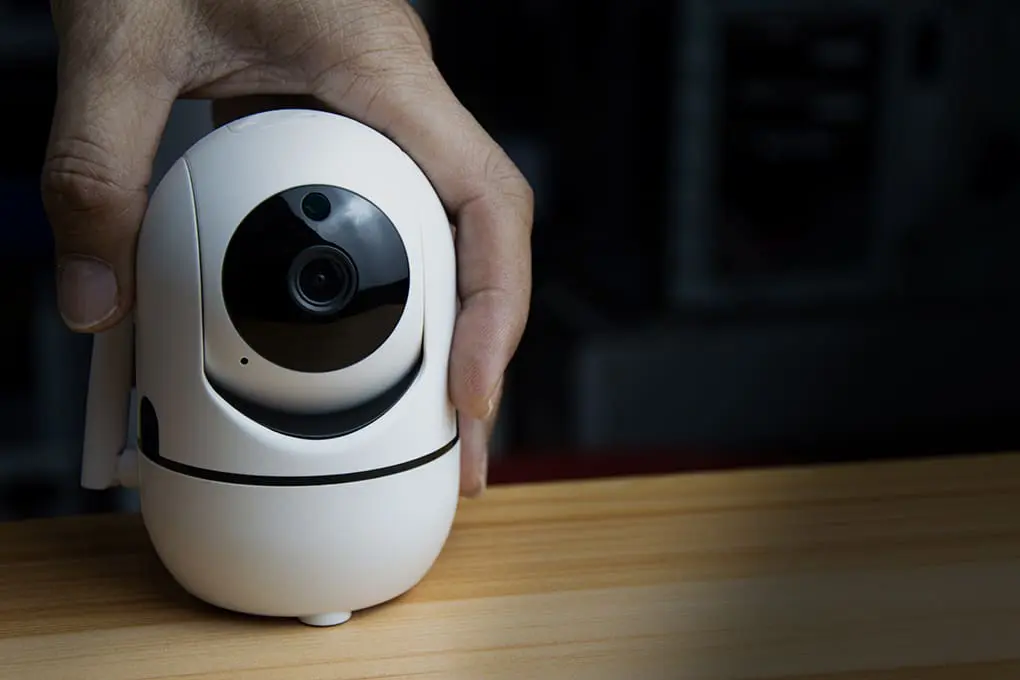
Arlo Pro 5S: Best Wireless Camera for Outage Resilience
The Arlo Pro 5S Spotlight Camera is one of the most outage-capable wireless cameras available. It’s 100% wire-free with a rechargeable battery, and it pairs with the Arlo SmartHub, which stores footage locally even when cloud access is unavailable.
Arlo Pro 5S at a Glance
- Price: See current price at batten.shop
- Resolution: 2K HDR
- Power: Rechargeable battery (wire-free)
- Storage: Cloud + local via SmartHub
- Best For: Renters, outage-prone areas, no-drill outdoor placement
- Buy: Arlo Pro 5S on batten.shop
The 2K HDR video captures clear detail even in challenging lighting. The integrated color spotlight lets the camera illuminate a scene at night using its own battery – no grid power needed. For outage scenarios, the local SmartHub storage means footage isn’t lost if the cloud goes dark. For more guidance on security cameras working during power outages, see our security cameras during power outages guide.
Pros:
- Battery-powered – keeps recording through complete power outages
- Local SmartHub storage means footage is captured even without cloud connectivity
- 2K HDR delivers excellent image quality in varied lighting
- Wire-free installation works in locations far from power outlets
Cons:
- Remote viewing and real-time alerts require Wi-Fi (router also needs backup power)
- Subscription required for extended cloud history and advanced AI detection

Eufy SoloCam S340: Best Solar Security Camera for Backup Power Independence
The Eufy SoloCam S340 is the strongest option for homeowners who want outage protection with zero recurring fees. It runs entirely on solar power with an internal battery backup, stores footage on-device, and covers 360° via pan/tilt with no blind spots.
Eufy SoloCam S340 at a Glance
- Price: See current price at batten.shop
- Resolution: 3K dual-lens with pan/tilt
- Power: Solar panel + internal battery (no grid required)
- Storage: Local on-device – no subscription
- Best For: Extended outages, remote outdoor locations, subscription-free households
- Buy: Eufy SoloCam S340 on batten.shop
What makes the S340 particularly suited for power outage scenarios is the combination of solar self-sufficiency and free local storage. When a multi-day storm knocks out both power and internet, this camera keeps running and keeps saving footage to its internal drive. You review it after connectivity returns – and pay nothing monthly for the privilege.
Pros:
- Solar-powered with internal battery – runs indefinitely in adequate sunlight
- No subscription required – local on-device storage is free
- 360° pan/tilt eliminates blind spots without multiple cameras
- Zero grid dependency for continuous recording
Cons:
- Remote access and real-time alerts require Wi-Fi connectivity
- Panel output may require supplemental battery during extended cloudy weather

Wyze Battery Cam Pro: Best Budget Security Camera for Power Outages
The Wyze Battery Cam Pro delivers solid outage capability at a price point that makes covering multiple locations practical. It’s battery-powered, records to a microSD card locally, and uses AI detection to minimize false triggers – conserving battery life by not recording every passing leaf.
Wyze Battery Cam Pro at a Glance
- Price: See current price at batten.shop
- Resolution: 2K HDR
- Power: Rechargeable battery (up to 6 months per charge)
- Storage: Local microSD + optional cloud
- Best For: Budget-conscious households, multi-camera outage coverage
- Buy: Wyze Battery Cam Pro on batten.shop
For homeowners who want to cover several entry points, the Wyze Battery Cam Pro is one of the most cost-effective outage-ready options available. Multiple units can be deployed across a property for the cost of a single premium camera – all recording locally when the grid goes down. The optional solar panel accessory (sold separately) can extend battery life indefinitely for cameras in sunny locations.
Pros:
- Budget-friendly price makes multi-camera coverage accessible
- 2K local recording continues through outages via microSD
- AI detection reduces false alerts, conserving battery life
- Up to 6 months battery life per charge under normal use
Cons:
- Cloud features and remote alerts require active Wi-Fi
- Battery life varies significantly based on motion activity levels

Ring Stick Up Cam (Battery): Best for Alexa Ecosystem Households
For homeowners already invested in the Ring ecosystem, the Ring Stick Up Cam Battery offers a flexible, wire-free option that keeps recording through outages. It works indoors or outdoors, sits freestanding or mounts to a wall, and pairs with Ring Alarm for integrated coverage.
Ring Stick Up Cam Battery at a Glance
- Resolution: 1080p HD
- Power: Quick-release rechargeable battery pack
- Storage: Cloud via Ring Protect subscription; no local storage without subscription
- Best For: Alexa users, Ring Alarm households, flexible placement needs
- Buy: Ring.com
The Stick Up Cam Battery is versatile and well-priced within the Ring lineup. Its weather resistance (IPX5) handles rain and temperature extremes from -5°F to 120°F. The main outage limitation is storage: unlike Eufy’s free on-device saving, Ring requires a Protect plan to access recorded footage. That said, if you’re pairing it with Ring Alarm, the system’s cellular backup keeps your alarm monitoring active even when Wi-Fi is down.
Pros:
- Truly wire-free – works anywhere with no power cable required
- Weather-resistant for year-round outdoor use
- Integrates seamlessly with Ring Alarm and Alexa
- Quick-release battery swaps out in seconds
Cons:
- No local storage – recorded footage requires a Ring Protect subscription
- Remote features and cloud uploads need Wi-Fi connectivity
Reolink Go PT Plus: Best Cellular Security Camera Without WiFi
The Reolink Go PT Plus is in a different category from the rest: it runs on 4G LTE cellular connectivity, meaning it continues sending real-time alerts even when your home’s Wi-Fi and power are completely down. It’s the only camera type that doesn’t depend on your home network at all.
Reolink Go PT Plus at a Glance
- Resolution: 2K+ 5MP
- Power: Rechargeable battery + optional solar panel
- Storage: Local microSD + optional Reolink Cloud
- Connectivity: 4G LTE cellular (SIM card required – no Wi-Fi needed)
- Best For: Off-grid locations, extended outages, areas without reliable Wi-Fi
- Buy: Reolink.com
This is the camera to reach for when you need live alerts during a blackout, not just local recording you’ll review later. Because it runs on cellular rather than your home Wi-Fi, a complete grid failure doesn’t cut its connection. You’ll need a cellular data plan (T-Mobile or AT&T prepaid work well), but for properties in outage-prone areas or detached structures far from the house, it’s the most genuinely independent option available.
Pros:
- 4G LTE connectivity means real-time alerts even without home Wi-Fi
- Battery + solar panel combo provides indefinite runtime
- 360° pan/tilt coverage with 2K+ resolution
- Stores locally to microSD – no subscription required for basic recording
Cons:
- Requires a cellular data plan with monthly cost
- SIM card setup required before first use
Security Camera Backup Power Comparison
| Camera Type | Keeps Recording in Outage | Real-Time Alerts Without Wi-Fi | Storage During Outage | Best Outage Duration |
| Wired / PoE (no UPS) | ❌ No | ❌ No | ❌ None | 0 hours |
| Wired / PoE + UPS | ✅ Yes | ❌ No (Wi-Fi still down) | ✅ Local NVR | 3-8 hours |
| Battery-Powered | ✅ Yes | ❌ No | ✅ Local microSD | Days to weeks |
| Solar-Powered | ✅ Yes | ❌ No | ✅ On-device | Indefinite |
| 4G Cellular Camera | ✅ Yes | ✅ Yes | ✅ Local + cloud | Indefinite |
Security System Backup Power: Keeping Your Alarm Online During a Blackout
Most home security alarm systems include internal battery backup that keeps the base station functional for up to 24 hours when grid power is cut. But professional monitoring contact depends on how the system communicates – and that’s where many homeowners have a critical gap.
Home Security System Battery Backup
Systems like SimpliSafe and Ring Alarm include backup batteries in their base stations. According to SafeHome.org’s backup power guide, most security professionals recommend backup power for at least 24-48 hours of normal operation to cover typical weather-related outages. For a closer look at which systems offer the strongest backup performance, see our guide on the best security systems that work off-grid.
Cellular Backup Home Security: The Critical Piece
The biggest vulnerability in most alarm systems during an outage isn’t the power – it’s the communication link. Standard broadband-connected systems lose their connection to the monitoring center when your router goes offline. Cellular backup solves this by routing alarm signals through the 4G network, completely independent of your home internet connection.
As SafeHome.org explains, cellular backup is now a standard feature in most professionally monitored systems – but some brands restrict it to premium subscription tiers. If you’re in an area prone to frequent or extended outages, confirming your alarm has cellular backup before the next storm is worth five minutes of your time. For more on emergency preparedness across your whole home, Batten Emergency has detailed guides on outage readiness.
UPS for Security Cameras: How to Keep Wired Cameras Running
A UPS (uninterruptible power supply) is the most direct fix for wired camera systems. It acts as a battery between the wall outlet and your connected devices, providing seamless power when the grid drops – no startup lag, no reboot.
What a UPS Protects During an Outage:
- PoE network switches (powering hardwired IP cameras)
- NVR or DVR recording units
- Wi-Fi router and modem (extends remote access availability)
- Smart home hubs and alarm base stations
For a typical home camera setup – router, switch, and NVR – a 1000-1500VA UPS provides 3-5 hours of runtime. For longer outages, a portable power station can power the same equipment for 12+ hours. For complete multi-day protection in high-risk areas, a standby generator remains the most reliable solution.
Power Outage Home Security Tips: A Quick Checklist
Before the next outage hits, check your setup against these practical steps:
- Install Battery or Solar Cameras at priority entry points – front door, garage, back gate – so those locations keep recording regardless of grid status.
- Add a UPS to Your Router and Modem to extend Wi-Fi availability for 2-4 hours after power loss and maintain camera remote access during shorter outages.
- Add a UPS to Your NVR or Camera Switch if you have a wired system, giving cameras continued power without switching to battery models.
- Upgrade Your Alarm to Cellular Backup so professional monitoring stays active even when both internet and power go down simultaneously.
- Enable Local Storage on all cameras – microSD cards in battery cameras, NVR storage in wired systems – so footage is always captured even without cloud connectivity.
- Test Your Backup Systems before storm season: simulate a power cut, confirm which cameras stay active, which alerts still arrive, and how long your UPS lasts under real load.
Making Your Security Outage-Ready
Power outages aren’t rare events – they’re an expected part of homeownership, particularly in areas prone to severe weather. The cameras and alarm systems protecting your family every other day should not go dark at exactly the moments conditions turn dangerous.
Battery-powered cameras like the Arlo Pro 5S and Wyze Battery Cam Pro keep recording through any outage. The Eufy SoloCam S340 adds solar independence for extended blackouts at no monthly cost. And for locations that need real-time alerts regardless of grid status, the Reolink Go PT Plus runs on cellular and keeps you connected no matter what.
You don’t need to replace your entire setup – you need to identify the gaps and fill them strategically. Start with your highest-risk entry point, add backup, and build from there.
Ready to make your home security outage-proof? Browse Batten’s battery and solar security cameras – expert-tested options that keep recording and protecting your home even when the grid goes dark.
Frequently Asked Questions
Do Security Cameras Work Without Power?
Most wired security cameras stop working immediately when grid power is cut because they depend on your home’s electrical circuit. Battery-powered and solar-powered cameras continue recording locally because they carry their own power source. All cameras lose remote access and cloud uploads when your Wi-Fi router goes offline – unless your router has its own battery backup, or you’re using a 4G cellular camera that bypasses your home network entirely.
Do WiFi Cameras Work During a Power Outage?
Battery or solar WiFi cameras continue recording locally during a power outage, but they cannot send alerts or allow remote viewing once your Wi-Fi router loses power. Adding a small UPS to your router and modem extends Wi-Fi availability for 2-4 hours after grid power cuts, keeping your camera’s remote features active during most shorter outages. For longer outages, a cellular camera like the Reolink Go PT Plus is the only option that maintains real-time connectivity independently.
What Is the Best Security Camera Backup Battery Solution?
A UPS is the best backup solution for wired camera systems – it provides instant seamless power to your cameras, NVR, and router with no startup delay. For wireless cameras, built-in rechargeable batteries or solar panels serve as the backup power source. Browse Batten’s security camera collection for models with the strongest outage-ready specs, including solar-compatible options.
Do Alarm Systems Work Without Power?
Yes – most modern home security alarm systems include internal battery backup that keeps the base station active for 12-24 hours after grid power is cut. Local siren functions and sensor monitoring continue on battery. However, internet-connected systems lose their link to professional monitoring centers when your router goes offline. A home security system with cellular backup maintains monitoring contact independently of your internet connection.
How Do I Keep My Security Cameras On During a Power Outage?
The most direct approach: replace wired cameras at key entry points with battery-powered alternatives that record regardless of grid status. For wired systems you want to keep, add a 1000-1500VA UPS to your camera switch and NVR. Also add a smaller UPS to your router and modem to preserve remote access. For extended outages, the Eufy SoloCam S340 runs indefinitely without any grid power.
What Are the Biggest Security Risks During a Home Power Outage?
A power outage creates several compounding security risks: wired cameras go offline, alarm communication may drop if internet-dependent, outdoor lighting fails, and smart locks or electric garage doors may lose function. Research on residential burglary behavior, summarized by Security.org, consistently shows that visible, active security measures deter opportunistic break-ins – and a home without working cameras during a neighborhood blackout is exactly the type of target criminals look for. Layered backup planning across cameras, alarms, and lighting closes those vulnerabilities.
Sources
- “U.S. Electricity Customers Averaged Five and One-Half Hours of Power Interruptions in 2022,” 2024, U.S. Energy Information Administration, https://www.eia.gov/todayinenergy/detail.php?id=61303
- “Do Home Security Cameras Deter or Prevent Crime?,” 2025, Security.org, https://www.security.org/security-cameras/deter-crime/
- “If the Power Goes Out, Does My Security System Still Work?,” 2026, SafeWise, https://www.safewise.com/home-security-systems/faq/power-out
- “Do Security Systems Work In Power Outages?,” 2025, SafeHome.org, https://www.safehome.org/security-systems/power-outages/
- “Best Battery Backup Solutions for Home Security Systems,” 2025, SafeHome.org, https://www.safehome.org/security-systems/battery-backup/
- “Arlo Pro 5S 2K Spotlight Security Camera Product Page,” 2025, Arlo/Batten, https://batten.shop/products/arlo-pro-5s-spotlight-security-camera-2k-hdr-outdoor-wireless
- “Eufy Security SoloCam S340 Product Page,” 2025, Eufy/Batten, https://batten.shop/products/eufy-security-solocam-s340-solar-security-cameras-wireless-outdoor-cameras-for-home-security-360-pan-tilt-surveillance-no-blind-spots-2-4-ghz-wi-fi-no-monthly-fee-homebase-s380-compatible
- “Wyze Battery Cam Pro Product Page,” 2025, Wyze/Batten, https://batten.shop/products/wyze-battery-cam-pro
- “Reolink Go PT Plus – 4G LTE Pan & Tilt Camera,” 2025, Reolink, https://reolink.com/product/reolink-go-pt-plus/
- “Stick Up Cam Battery Product Page,” 2025, Ring, https://ring.com/products/stick-up-cam
SEO Title: Home Security Cameras and Monitoring During Power Outages (2026)
Meta Description: Most security cameras fail during a power outage. Learn which battery, solar, cellular, and UPS solutions keep your cameras and alarms running when the grid goes down.
URL Slug: security-cameras-power-outage