
Quick Answer: The best no subscription security systems are the Eufy Security System S380, Ring Alarm (self-monitored mode), and Abode Iota – each offering DIY setup, local or free cloud storage, and zero required monthly fees. Browse Batten’s home security collection for expert-tested no-contract systems.
You pay $30-$60 a month for a security subscription and wonder: am I actually getting $360-$720 a year in value? Millions of homeowners are asking the same question. Professional monitoring sounds reassuring, but police response to a triggered alarm averages 30-60 minutes in most cities, and over 95% of alarm calls turn out to be false alarms – meaning dispatch is rarely prioritized.
That reality has fueled a steady shift. Self-monitored security systems now serve a growing share of U.S. homes, driven by smarter AI detection, better local storage, and apps that put live video on your phone in seconds. You get real-time alerts, full control, and local or free cloud recording – without handing a monitoring company your credit card every month.
This guide covers the best no subscription home security systems for 2025: what to look for, honest pros and cons, and a total cost comparison that makes the math obvious.
Table of Contents
- Key Takeaways
- What Is a Self-Monitored Home Security System?
- Best No Monthly Fee Security Systems in 2026
- Feature Comparison: Top No Subscription Security Systems
- Total Cost of Ownership: 3-Year Comparison
- How to Choose the Right Self-Monitored Security System
- If You Want Optional Monitoring: Systems Worth Considering
- Are No Subscription Security Systems Worth It?
- Finding Your Best No Monthly Fee Security System
- Frequently Asked Questions
- Sources
Key Takeaways
- The best no subscription home security systems deliver full protection without monthly fees by combining local storage, smart sensors, and direct-to-phone alerts.
- Homes without a security system are 300% more likely to be burglarized – making any system, monitored or not, a meaningful deterrent.
- No-fee systems save the average household $360-$720 per year compared to professionally monitored plans.
- The FBI reported 779,542 burglaries in 2024 – down 8.1% year-over-year, with security system adoption cited as a key factor in the decline.
- Browse Batten’s no-contract security systems for expert-reviewed options that protect your home without recurring fees.
What Is a Self-Monitored Home Security System?
A self-monitored home security system alerts you directly – via app, push notification, or SMS – instead of routing alarms through a professional monitoring center. When a sensor trips or a camera spots motion, your phone gets the alert. You decide whether to call police, check the live feed, or dismiss a false alarm.
This approach puts you in control and eliminates monthly fees entirely. It works best for people who stay responsive with their phones, have reliable cellular service, and live in areas with reasonable access to emergency services. For the majority of homeowners who fall into that category, it delivers real, meaningful protection at a fraction of the cost.
Best No Monthly Fee Security Systems in 2026
The best no monthly fee security systems give you reliable cameras, local storage, smart alerts, and app access without locking basic protection behind a subscription.
Eufy Security System S380: Best Overall No Subscription System
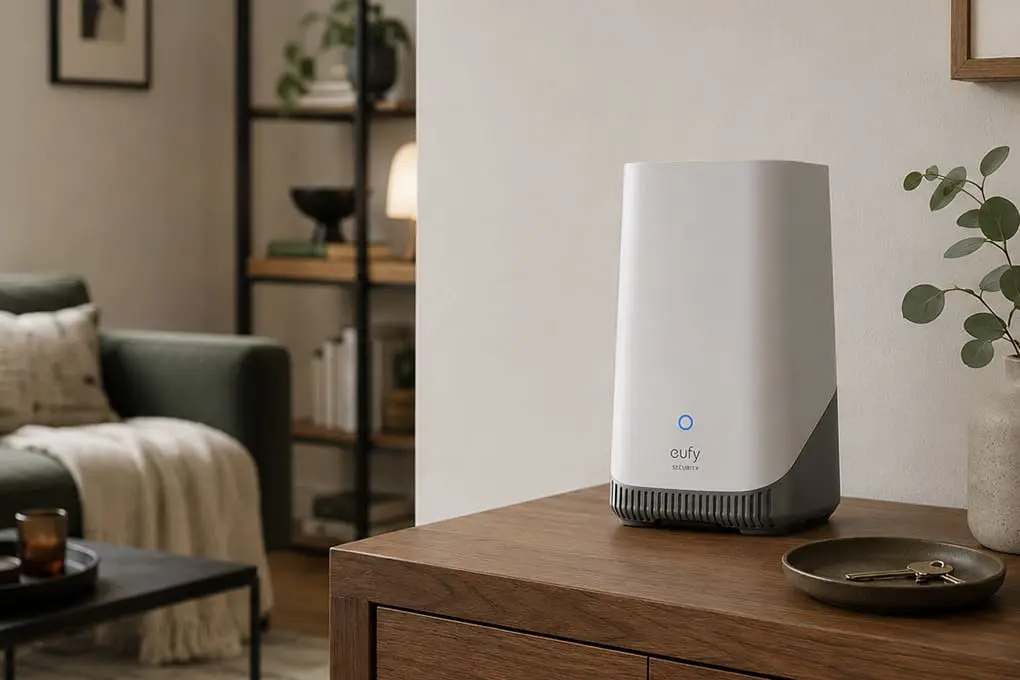
Eufy has built the most complete subscription-free security ecosystem on the market. The HomeBase S380 stores encrypted footage directly on device – no cloud required, no fee to access your own recordings. Paired with Eufy’s cameras and sensors, it covers an entire home without a dollar of ongoing cost.
Eufy S380 at a Glance
- Storage: Local encrypted hub (up to 16TB expandable) – no subscription
- Resolution: Up to 4K (depending on camera model)
- Smart Integration: Alexa, Google Home, Apple HomeKit
- Best For: Homeowners who want professional-grade local storage with zero monthly fees
- Contract: None required, ever
How It Works
The S380 hub stores footage from all connected cameras on an internal drive – or you can add your own NAS storage. All processing happens locally, which means your data never touches Eufy’s cloud unless you opt in. Motion detection uses AI to distinguish people from animals, vehicles, and random movement, cutting false alerts without requiring a paid tier to access the feature.
Eufy’s system also works offline: if your internet goes down, cameras keep recording to the hub. That’s a genuine advantage over cloud-dependent systems that go dark the moment your router drops.
Key Features
- Local AI Detection: Person, vehicle, animal, and package recognition with no subscription required
- HomeKit Secure Video: Optional end-to-end encrypted iCloud storage for Apple users (requires Apple iCloud+ plan – not Eufy’s fee)
- Alarm Integration: Door/window sensors, motion detectors, and a siren that ties directly into the hub
- Remote Access: Live view, two-way audio, and footage playback via the Eufy Security app at no cost
Pros and Cons
Pros:
- True zero-fee operation – all AI features, local storage, and remote access work without any paid plan
- AES-256 encryption on all locally stored footage
- Scales easily with additional cameras and sensors
- Works with Alexa, Google Home, and Apple HomeKit
Cons:
- Most capable cameras require the HomeBase hub to function
- App interface can feel busy compared to Ring or SimpliSafe
- Local storage means footage isn’t recoverable if the hub is physically stolen (place it in a secure interior location)
Ring Alarm 8-Piece Kit: Best No-Contract Alarm for Alexa Homes
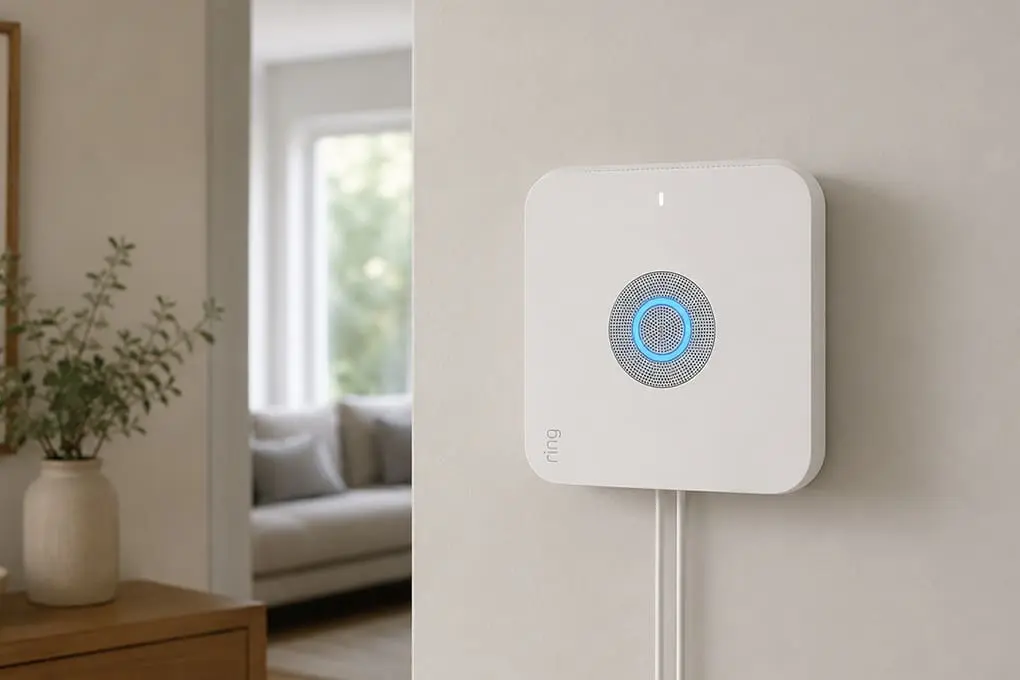
Ring Alarm is the most versatile alarm platform for homeowners already in Amazon’s ecosystem. The Ring Alarm 8-Piece Kit on batten.shop includes everything needed to cover a medium-to-large home – base station, keypad, sensors, and range extender – at a flat upfront cost with zero required ongoing fees.
In self-monitoring mode, Ring sends push notifications, texts, or calls directly to you when sensors trigger. You view which sensor fired, access live camera feed, and silence false alarms from your phone. Professional monitoring is available as an optional add-on ($10-$20/month) but is never required to operate the system.

Ring Alarm 8-Piece at a Glance
- Price: See current price at batten.shop
- Self-Monitoring: Free, no subscription required
- Optional Monitoring: $10-$20/month (not required)
- Contract: None
- Smart Integration: Alexa (native), Z-Wave compatible (3,000+ devices)
- Battery Backup: 24 hours on base station
- Best For: Alexa households, renters, homeowners who want the option to add monitoring later
What’s in the Box
The 8-piece kit covers a mid-size home with everything needed from day one:
- 1 Ring Base Station (built-in siren, cellular backup, 24-hr battery backup)
- 1 Keypad
- 1 Range Extender
- 4 Contact Sensors (doors and windows)
- 1 Motion Detector
Every component installs in under 30 minutes without tools. Door and window sensors use peel-and-stick mounting – a genuine benefit for renters who can’t drill.
Pros and Cons
Pros:
- Flexible monitoring – start self-monitored, add professional coverage if your needs change
- Cellular backup keeps the base station connected during internet outages
- 24-hour battery backup maintains protection during power cuts
- Massive ecosystem: pairs with Ring cameras, doorbells, smart lights, and 3,000+ Z-Wave devices
Cons:
- Camera video history requires a Ring Protect subscription (without it, you get live view only – no playback)
- No native local storage for cameras – a gap for privacy-focused users
- Best ecosystem value comes when paired with Ring cameras, adding to total upfront cost
Abode Iota: Best for Multi-Protocol Smart Home Integration
Abode is the standout pick for homeowners with mixed smart home setups. It natively supports Zigbee, Z-Wave, and Wi-Fi devices, meaning it integrates with thousands of third-party sensors and cameras that Ring or Eufy won’t touch. The Abode app works free in self-monitoring mode with no time limit.
Abode Iota at a Glance
- Price: ~$199 kit (as of October 2025)
- Self-Monitoring: Free, no subscription required
- Optional Monitoring: From $8/month (including day-pass options for travelers)
- Contract: None
- Smart Integration: Alexa, Google Home, Apple HomeKit, IFTTT, Z-Wave, Zigbee, Wi-Fi
- Best For: Smart home power users, mixed-device households, tech-forward homeowners
Abode’s CUE automation engine lets you build security rules that go beyond basic alarms – automating lighting, locks, and cameras in response to sensor events without needing a cloud subscription. For a home office security setup, the depth of integration is hard to beat.
Pros and Cons
Pros:
- Works with more device types than any competitor (Zigbee, Z-Wave, Wi-Fi all natively supported)
- Flexible monitoring – purchase professional coverage by the day when traveling, pay nothing when home
- Full self-monitoring is free with no feature restrictions, forever
Cons:
- Initial setup has a steeper learning curve than Ring or SimpliSafe
- Camera selection more limited compared to Ring’s ecosystem
- Expansion hardware pricing adds up quickly for larger homes

Wyze Home Security: Best Budget No Monthly Fee Option
Wyze cameras include free 14-day cloud event storage via Cam Plus Lite – no credit card required. For homeowners who want basic coverage without spending on a full alarm system, Wyze’s cameras, door sensors, and motion detectors cover the fundamentals at a price that’s hard to argue with.
Wyze at a Glance
- Camera Price: $35-$50 per camera (as of October 2025)
- Storage: Free event clips (12-second) + optional 14-day rolling storage via Cam Plus Lite (free with email sign-up)
- Monitoring: Self-monitoring via app, no subscription
- Best For: Budget-conscious renters, first-time security buyers, apartment dwellers
For renters, Wyze’s battery-powered models and adhesive mounting options mean zero permanent installation. Pair with Wyze door/window sensors for a renter-friendly setup covering a studio or one-bedroom apartment for under $150 upfront.

Pros and Cons
Pros:
- Lowest upfront cost of any system in this guide
- Free event cloud storage – no credit card, no commitment
- Works with Alexa and Google Home for voice control
- Wide camera selection including indoor, outdoor, and doorbell models
Cons:
- Free storage limited to 12-second event clips (not continuous)
- No cellular backup – alerts depend entirely on Wi-Fi staying online
- App and hardware quality gap compared to premium brands
Arlo Pro 4/5: Best No-Subscription Outdoor Camera System
Arlo’s standalone cameras include 6 months of free cloud storage on every new Pro 4 and Pro 5 – no credit card, no commitment. After that, you continue using local storage via a USB drive connected to Arlo’s SmartHub, or subscribe to Arlo Secure if you want ongoing cloud access. Either way, the cameras keep recording and sending motion alerts without any paid plan.

Arlo Pro 5 at a Glance
- Price: $249 per camera (as of October 2025)
- Resolution: 2K HDR
- Storage: 6 months free cloud, then local USB or optional subscription
- Best For: Outdoor camera coverage, homes without a full alarm system, visual deterrence
Arlo’s color night vision and integrated spotlight on the Pro 5 are genuinely competitive with cameras at higher price points.
Pros and Cons
Pros:
- 6 months of free cloud storage included with purchase
- 2K HDR delivers outstanding image quality in daylight and low light
- Color night vision via integrated spotlight
- Wire-free installation, weatherproof design
Cons:
- After free period, local storage requires SmartHub hardware (~$99)
- Per-camera cost is high for multi-camera setups
- Full AI detection features locked behind Arlo Secure subscription
Feature Comparison: Top No Subscription Security Systems
| Feature | Eufy S380 | Ring Alarm 8-pc | Abode Iota | Wyze | Arlo Pro 5 |
| Monthly Fee Required | None | None | None | None | None |
| Optional Monitoring | No | $10-$20/mo | $8/mo+ | No | No |
| Local Storage | Yes (hub) | No | No | microSD | USB/hub |
| Cloud Storage (Free) | No (optional) | No | No | 14-day clips | 6 months |
| Cellular Backup | No | Yes (base station) | Yes | No | No |
| Smart Home Integration | Alexa, Google, HomeKit | Alexa, Z-Wave | Alexa, Google, HomeKit, Z-Wave, Zigbee | Alexa, Google | Alexa, Google, IFTTT |
| Renter-Friendly | Yes | Yes | Yes | Yes | Yes |
| DIY Install | Yes | Yes | Yes | Yes | Yes |
| Best For | No-fee local storage | Alexa households | Multi-platform power users | Budget buyers | Outdoor cameras |
Total Cost of Ownership: 3-Year Comparison
| System | Hardware Cost | Subscription (36 months) | 3-Year Total |
| Eufy S380 (8-cam setup) | ~$399 | $0 | $399 |
| Ring Alarm 8-pc (self-monitored) | ~$300 | $0 | $300 |
| Abode Iota (self-monitored) | ~$199 | $0 | $199 |
| Wyze (4-cam setup) | ~$160 | $0 | $160 |
| Ring Alarm + Protect Plus | ~$300 | $360 | $660 |
| SimpliSafe + Fast Protect | ~$239 | $719.64 | $958 |
| ADT Traditional | ~$0-$200 | ~$1,260+ | $1,260+ |
| Deep Sentinel | ~$399 | ~$2,160 | $2,559 |
The numbers speak clearly. A self-monitored Ring Alarm setup costs less over three years than a single year of ADT monitoring. For most homeowners who are reliably reachable by phone, the case for subscription monitoring becomes very hard to justify on value alone.
How to Choose the Right Self-Monitored Security System
The right self-monitored security system depends on how you want to store footage, where you live, whether you may add monitoring later, and which smart home platform you already use.
Storage: Local vs. Free Cloud
If privacy is a priority, choose systems with local storage – Eufy S380 is the strongest option here. If you don’t mind event clips stored on a server but want zero cost, Wyze’s free tier or Arlo’s 6-month trial works well. If you’ll rely on cloud history after the free period ends, factor that subscription into your budget.
Renter or Homeowner?
Renters should prioritize systems with adhesive sensors and battery-powered cameras that install without drilling. Ring Alarm, Wyze, and Eufy all qualify. For homeowners, hardwired options open up better video quality and more reliable uptime.
Do You Want the Option to Add Monitoring Later?
Ring Alarm and Abode both let you activate professional monitoring without changing your hardware. If you’re on the fence, either is a smart choice – start free, upgrade if your circumstances change. Abode’s day-pass model is especially useful for homeowners who travel frequently.
Smart Home Ecosystem Fit
Already deep in Amazon? Ring integrates better than anything else. Apple household? Eufy with HomeKit Secure Video or Abode are the cleaner fit. Mixed platforms? Abode’s Zigbee/Z-Wave support covers more devices than any competitor at this price.
If You Want Optional Monitoring: Systems Worth Considering
Some homeowners want the option to activate professional monitoring – especially for extended travel or higher-risk areas. These systems offer optional paid monitoring but can also run entirely free in self-monitoring mode.
SimpliSafe Starter 6-Piece System: Best Upgrade Path to Monitoring
The SimpliSafe Starter 6-Piece System works in self-monitoring mode right out of the box – no subscription needed to receive alerts, arm and disarm remotely, or trigger the built-in siren. SimpliSafe sends alerts directly to your phone and you respond as you see fit.
For homeowners who want a clean upgrade path, SimpliSafe’s optional Fast Protect monitoring ($19.99-$29.99/month) adds live video verification, 24/7 professional dispatch, and smart alerts. No long-term contract is required – you can activate or cancel monitoring month-to-month.
Subscription note: Camera video review and advanced AI features require a SimpliSafe subscription. In pure self-monitoring mode, you receive sensor alerts and have alarm control, but no video playback history.

SimpliSafe Starter at a Glance
- Price: See current price at batten.shop
- Self-Monitoring: Yes, free
- Optional Monitoring: $19.99-$29.99/month, no contract
- Best For: Homeowners who want simplicity now and the option to add monitoring later
Deep Sentinel AI Camera: Premium Live Guard Monitoring Option
The Deep Sentinel AI Camera represents a fundamentally different approach to home security. Rather than alerting you to review footage after an event, Deep Sentinel’s LiveSentinel service puts a trained human guard on your camera feed in real time – intervening via two-way audio to challenge intruders before a crime occurs, and dispatching police with verified visual confirmation.
Subscription note: Deep Sentinel requires an active LiveSentinel monitoring subscription (~$60/month) to function. It cannot operate as a self-monitored system. We include it here for homeowners evaluating whether the premium cost of professional monitoring is justified for their situation.
Where Deep Sentinel earns its fee: vacation homes that sit empty for weeks, high-value properties in elevated-risk areas, and homeowners who have already experienced a break-in and want the strongest possible deterrent. For everyone else, the no-subscription options above provide meaningful, proven protection at a fraction of the ongoing cost.

Deep Sentinel at a Glance
- Subscription: Required (~$60/month)
- What You Get: AI detection + real-time human guard intervention + police dispatch with video verification
- Best For: Unoccupied properties, high-crime areas, homeowners who want maximum active deterrence
- Buy: Deep Sentinel AI Camera on batten.shop
Are No Subscription Security Systems Worth It?
For the majority of homeowners, yes. According to research from the University of North Carolina at Charlotte published via ScienceDaily, 60% of convicted burglars said they would abandon a target if they discovered a security system – and 83% would move to a different neighborhood entirely if they encountered extensive security measures. That deterrence works whether or not a monitoring center is watching.
The FBI’s 2024 crime data confirms that burglaries have declined significantly alongside rising security system adoption – 779,542 burglaries reported in 2024, down 8.1% from 2023 and 50.5% lower than 2015 levels. Homes remain safer when protected by any visible security system.
There’s also a financial case beyond the subscription savings. Policygenius reports that some insurance companies offer discounts of up to 15% for homes with qualifying security systems – whether or not those systems carry professional monitoring.
Where professional monitoring genuinely adds value: homes that sit unoccupied for extended periods, high-crime areas where fast police dispatch is critical, and homeowners who cannot reliably respond to phone alerts. For everyone else, a well-configured self-monitored system with reliable cameras and prompt notifications provides meaningful protection.
Finding Your Best No Monthly Fee Security System
Self-monitoring home security has matured to the point where it’s a practical, proven choice for most homeowners. The systems in this guide protect your home and family without making a recurring payment part of the deal.
Eufy S380 delivers the most complete no-fee experience for homeowners who want local storage and zero ongoing costs.
Ring Alarm gives Alexa users a powerful, expandable foundation with flexibility to add monitoring later. Abode handles complex smart home setups better than any competitor. Wyze makes no-fee coverage accessible for renters and budget-conscious buyers. Arlo Pro 5 is the best standalone outdoor camera option with 6 months of free cloud included.
The right system is the one you’ll actually use – set up completely, tested properly, and checked when alerts arrive. Spend less on fees. Spend more on confidence.
Ready to secure your home without monthly fees? Browse Batten’s expert-tested no-contract security systems and find the right fit for your home, budget, and lifestyle.
Frequently Asked Questions
What Is the Best No Subscription Home Security System?
The Eufy Security System S380 is the best overall no subscription home security system for homeowners who want local encrypted storage and zero recurring costs. For renters or Alexa households, the Ring Alarm in self-monitoring mode is the strongest no-contract alternative, covering a full home with cellular backup for under $300 upfront.
Can You Use Ring Alarm Without a Subscription?
Yes. Ring Alarm works completely free in self-monitoring mode – you receive push notifications, live view access, and sensor alerts at no cost. The Ring Protect subscription ($10-$20/month) adds professional monitoring, extended cloud video history, and additional AI detection features, but none of these are required to use the alarm system.
How Do Self-Monitored Security Systems Work?
Self-monitored systems send alerts directly to your smartphone when sensors are triggered. You view live footage, assess the situation, and decide whether to call police. Most systems use AI detection to reduce false alerts significantly. Without a monitoring center, response depends on your availability – making this approach ideal for people who keep their phones nearby during the day.
Do No Subscription Security Cameras Record Continuously?
Most no-subscription cameras record event-based clips rather than continuous 24/7 footage unless paired with local storage. Eufy’s HomeBase S380 enables continuous recording to a local drive at no cost. For ongoing cloud-based continuous recording, most brands require a paid plan – making local storage the smarter long-term investment for subscription-free users.
Are No Monthly Fee Security Systems as Effective as ADT or Professionally Monitored Options?
For deterrence and immediate alerting, self-monitored systems perform comparably. Research from UNC Charlotte confirms that the visible presence of a security system deters burglars regardless of whether it carries professional monitoring. The practical difference lies in response: professional monitoring dispatches police automatically if you can’t be reached, while self-monitored systems require you to make that call. For most homeowners in low-to-moderate risk areas with reliable phone access, self-monitoring provides sufficient protection.
What Is the Best No-Cloud-Subscription Security Camera System?
The Eufy S380 with HomeBase is the best no-cloud system – storing encrypted footage locally on a hub you fully control, with no cloud account required for basic operation. Reolink and Hikvision also offer solid NVR-based local recording options. For standalone outdoor cameras, Arlo Pro 5 includes 6 months of free cloud storage before local USB storage becomes the primary option.
Does a Security System Without Monitoring Still Qualify for Home Insurance Discounts?
It depends on the insurer. Policygenius reports that some insurers offer discounts of up to 15% for any qualifying system, while others restrict discounts to professionally monitored setups. Contact your insurer directly to confirm their specific requirements – and ask about discounts for smoke detectors, smart locks, and water sensors, which are often included in the same policy review.
Sources
- “Best Home Security Monitoring Response Times,” 2025, SafeHome.org, https://www.safehome.org/security-systems/best/response-times/
- “Burglary Statistics in 2025,” 2025, The Zebra, https://www.thezebra.com/resources/research/burglary-statistics/
- “The Latest Burglary Statistics: How Common is Burglary in the U.S.?” 2025, SafeHome.org, https://www.safehome.org/resources/burglary-statistics/
- “Through the Eyes of a Burglar: Study Provides Insights on Habits and Motivations,” 2013, ScienceDaily (UNC Charlotte / Kuhns et al.), https://www.sciencedaily.com/releases/2013/05/130516160916.htm
- “Reported Crimes in the Nation, 2024,” 2025, FBI Crime Data Explorer, https://cde.ucr.cjis.gov
- “Are There Home Insurance Discounts for Security Systems?” 2024, Policygenius, https://www.policygenius.com/homeowners-insurance/how-much-can-you-save-on-home-insurance-with-a-security-system/
- “Home Security Statistics 2025,” 2025, SafeHome.org, https://www.safehome.org/data/home-security-statistics/
- “Eufy HomeBase S380 Product Overview,” 2025, Eufy Security, https://www.eufy.com/homebase-s380
- “Ring Alarm System Overview,” 2025, Ring, https://ring.com/alarm
- “Abode Iota All-in-One Security Kit,” 2025, Abode, https://goabode.com/products/iota-all-in-one-security-kit
- “Arlo Pro 5S Spotlight Camera,” 2025, Arlo, https://www.arlo.com/cameras/pro5s