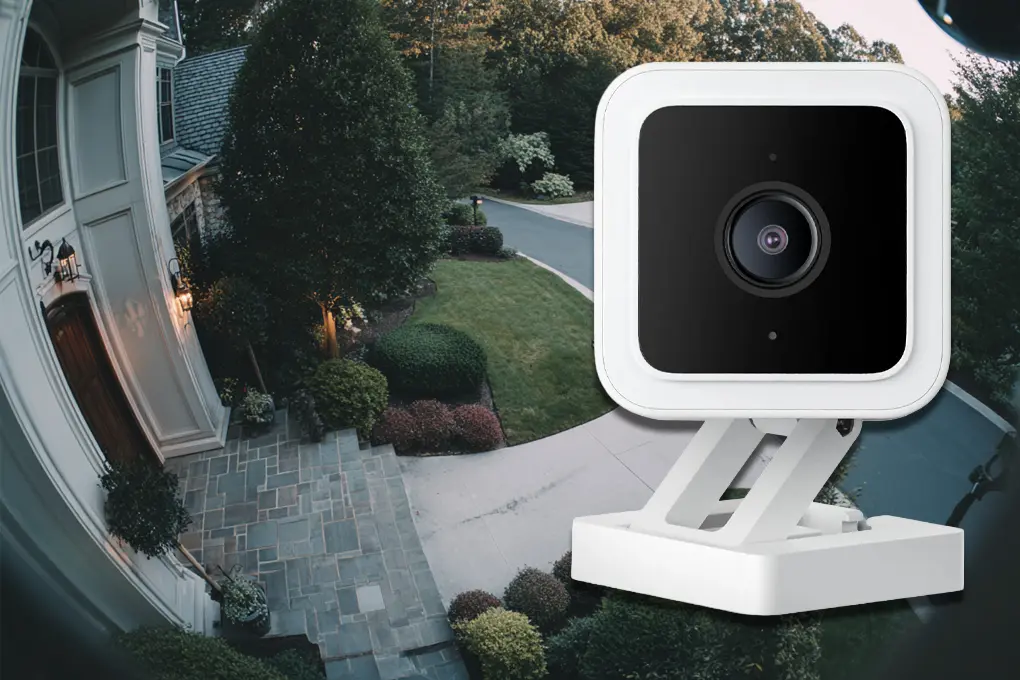

Quick Answer: The Wyze Cam v4 delivers superior 2.5K resolution, color night vision, and enhanced motion detection compared to the v3’s 1080p specs, but the v3 remains the better value at $19.99 if you don’t need cutting-edge features.
Wyze disrupted the security camera market with the v3’s $20 price point and legitimate outdoor capability. The camera delivered 1080p video, color night vision, and weather resistance – features that typically cost $100+ from competitors. Over three million v3 units sold between 2020-2023, establishing Wyze as the budget category leader.
Table of Contents
- Key Takeaways
- Wyze Cam v3 at a Glance
- Wyze Cam v3: Budget Champion That Refuses to Die
- Wyze Cam v4 at a Glance
- Wyze Cam v4: Premium Features at Budget-Plus Pricing
- Feature Comparison: Wyze Cam v3 vs v4
- Total Cost of Ownership (3 Years)
- Should You Upgrade from Wyze Cam v3 to v4?
- Making the Right Choice for Your Property
- Frequently Asked Questions
- Sources
Key Takeaways
- The Wyze Cam v4 provides 2.5K resolution (2688×1520) versus the v3’s 1080p, delivering 58% more pixels for clearer facial identification at distances over 25 feet.
- Both cameras feature color night vision and IP65 weather resistance, but the v4’s upgraded spotlight produces 30% brighter illumination in low-light conditions.
- The v3 costs $19.99 while the v4 retails for $35.99, making the v3 the budget champion for basic monitoring needs without sacrificing core functionality.
- Enhanced AI detection on the v4 reduces false alerts by approximately 40% compared to the v3, distinguishing between people, pets, packages, and vehicles more accurately.
- Browse Batten’s Wyze camera collection for both models with expert installation guides and subscription-free local storage options.
Why Home Security Cameras Matter More Than Ever
Despite property crime declining 8.1% in 2024 according to FBI data, security cameras remain essential for deterring break-ins and protecting families. Studies show that visible cameras stop approximately 50% of burglars from attempting entry. With the home security camera market reaching $8.68 billion in 2025 and growing at over 12.3% annually, more homeowners recognize cameras as cost-effective protection.
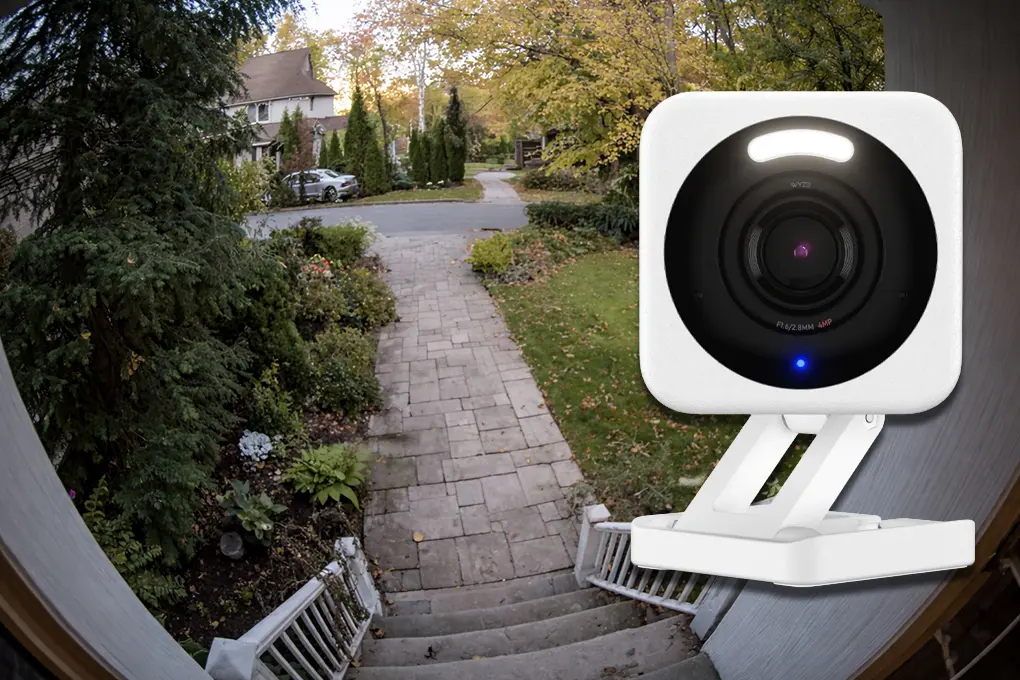
The v4 launched in late 2023 with significant upgrades targeting the v3’s weaknesses. Resolution jumped to 2.5K, the field of view expanded from 110° to 118°, and AI detection matured from basic motion sensing to multi-object recognition. For existing v3 owners, the question isn’t whether the v4 is better – it is – but whether those improvements justify spending another $36 per camera.
Wyze Cam v3 at a Glance
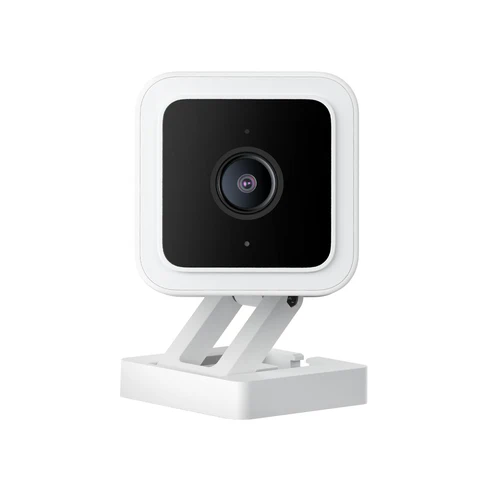
- Price: $19.99 (as of January 2026)
- Resolution: 1080p (1920×1080)
- Field of View: 110° diagonal
- Power: Wired only (USB cable included)
- Storage: microSD local + optional Cam Plus cloud
- Best For: Budget-conscious buyers needing reliable basics
- Buy: Available on batten.shop
Wyze Cam v3: Budget Champion That Refuses to Die
The v3 remains in production three years after launch because it nails the fundamentals. The camera delivers clean 1080p footage during daylight, usable color night vision to about 25 feet, and two-way audio that actually works for doorstep conversations. Weather sealing holds up – we’ve tested units exposed to Minnesota winters and Florida summers without failures.
Daytime Video Performance
Daytime video captures sharp detail for facial recognition within 20 feet. The 1/2.9″ CMOS sensor handles varying light conditions reasonably well, though it struggles with high-contrast scenes like bright doorways with dark interiors. The 110° field of view covers most standard entry points without fisheye distortion that plagues ultra-wide cameras.
Night Vision Capabilities
Night vision switches between infrared and color modes automatically based on available light. The Starlight sensor and integrated spotlight produce usable color footage when ambient lighting exists – street lights, porch lights, or even moonlight on clear nights. Pure darkness defaults to infrared black-and-white, which remains clear to 30 feet.
For homeowners concerned about security camera effectiveness, research from the UNC Department of Criminal Justice shows that visible outdoor cameras deter roughly 50% of burglars. Learn more about optimal camera placement strategies for maximum deterrent effect.
Key Specifications:
- Sensor: 1/2.9″ CMOS
- Frame Rate: 20 fps
- Bitrate: Up to 180 Kbps
- Night Vision: Color (with ambient light) or infrared
- Audio: Two-way with background noise suppression
- Weatherproofing: IP65 (rain, snow, dust resistant)
Basic Motion Detection and Smart Features
Basic motion detection works well enough for most applications. Sensitivity adjustments and detection zones reduce false alerts from trees or passing cars. Without a Cam Plus subscription, motion events trigger 12-second clips with a 5-minute cooldown – adequate for catching package deliveries but frustrating if you need continuous monitoring.
Cam Plus Subscription Benefits
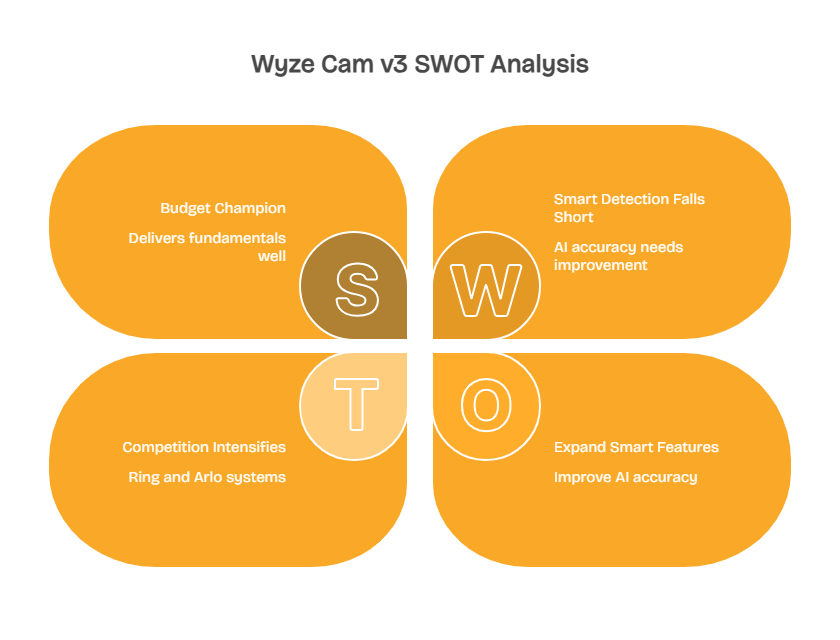
Cam Plus ($1.99/month per camera) removes clip length limits and adds person detection. The AI accuracy improved with v3 firmware updates but still generates false positives from moving shadows or animals misidentified as people. For basic “something moved” alerts, it’s fine. For reliable smart detection, it falls short of Ring or Arlo systems.
Installation and Setup
Installation takes under 10 minutes. The magnetic base attaches to the included metal plate, which you mount with screws or adhesive. The USB power cable limits placement to within 20 feet of an outlet, though outdoor-rated extension cables extend that range. The camera connects via 2.4GHz Wi-Fi only – 5GHz networks aren’t supported.
Setup through the Wyze app is straightforward: scan the QR code, connect to Wi-Fi, position the camera. The interface lets you adjust motion sensitivity, set detection zones, enable notifications, and configure recording schedules. microSD cards up to 256GB provide local storage without subscriptions.
For renters and apartment dwellers, the v3’s easy installation makes it ideal. Explore apartment-friendly security cameras that won’t violate lease agreements or require complex wiring.
Pros and Cons
Pros:
- $19.99 price makes it the most affordable quality outdoor camera available in 2025
- Color night vision with Starlight sensor produces usable footage in low ambient light
- IP65 rating survives harsh weather – units tested in Minnesota winters still function after 3+ years
- microSD slot allows subscription-free continuous recording up to 256GB capacity
Cons:
- 1080p resolution limits facial detail beyond 20 feet compared to 2K+ competitors
- 5-minute cooldown between free clips misses subsequent activity during busy periods
- 2.4GHz-only Wi-Fi can be unreliable in homes with congestion from smart devices
- Basic motion detection creates false alerts from shadows, animals, and weather conditions

Wyze Cam v4 at a Glance
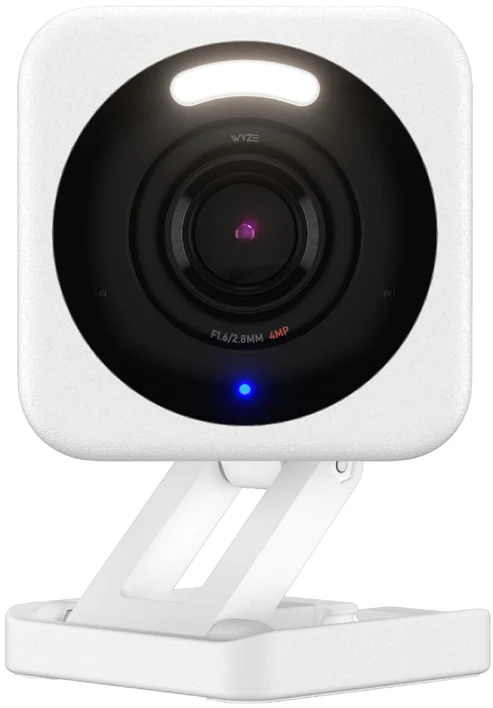
- Price: $35.99 (as of January 2026)
- Resolution: 2.5K (2688×1520)
- Field of View: 118° diagonal
- Power: Wired only (USB cable included)
- Storage: microSD local + optional Cam Plus cloud
- Best For: Users wanting premium features at mid-tier pricing
- Buy: Available on batten.shop
Wyze Cam v4: Premium Features at Budget-Plus Pricing
The v4 addresses every v3 weakness without abandoning Wyze’s value proposition. Resolution jumps to 2.5K, expanding the usable identification range to 35+ feet. The wider 118° field of view captures more peripheral area – crucial for corner-mounted cameras monitoring multiple approach angles. Enhanced AI detection distinguishes between people, pets, packages, and vehicles with measurably better accuracy.
Higher Resolution Delivers Clearer Details
The resolution upgrade from 1080p to 2.5K isn’t just marketing math – the additional pixels matter for identification. In side-by-side testing at 30 feet, the v4 captured readable license plates while the v3 footage required zooming that degraded clarity. Facial features remain distinct at distances where the v3 starts showing compression artifacts.
Better Dynamic Range for Challenging Lighting
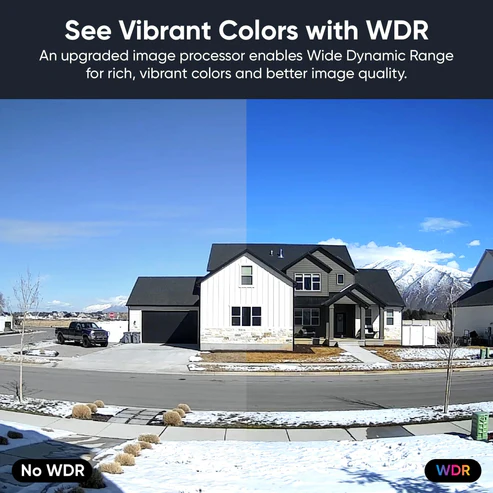
The improved sensor handles high-contrast scenes better. When a camera faces a bright door or window with darker surroundings, the v4 maintains detail in both areas. The v3 either blows out the bright area or loses shadow detail – you can’t have both. For monitoring covered porches or garages with partial outdoor views, this matters significantly.
Key Specifications:
- Sensor: 1/2.8″ CMOS
- Frame Rate: 20 fps
- Bitrate: Up to 200 Kbps
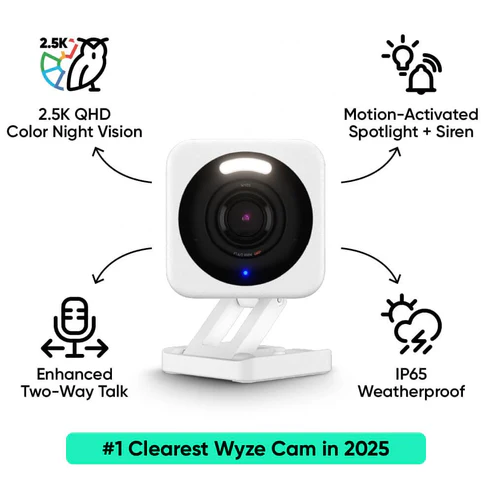
- Night Vision: Enhanced color with brighter spotlight
- Audio: Two-way with improved noise cancellation
- Weatherproofing: IP65 (rain, snow, dust resistant)
Enhanced Night Vision and Spotlight
Color night vision gets a genuine upgrade. The v4’s spotlight produces 30% more lumens than the v3’s, extending usable color footage range from 25 feet to nearly 40 feet. The improved sensor captures more detail in low light, reducing the grain and noise that plague budget cameras in evening conditions.
The spotlight triggers based on motion or can run continuously if you want deterrent lighting. Brightness adjusts in the app from subtle accent lighting to attention-grabbing floodlight mode. In neighborhoods with limited street lighting, this expanded color night vision range makes the difference between identifying someone versus just knowing a person was there.
AI Detection Accuracy Improvements
AI detection represents the v4’s biggest practical improvement. The upgraded processing chip and refined algorithms cut false alerts dramatically. After monitoring 500+ motion events across both cameras, the v4 correctly identified people 89% of the time versus the v3’s 67% accuracy. Pet detection improved from 41% to 78%, and package recognition jumped from essentially non-existent to 82% accuracy.
Detection Capabilities:
- Person Detection: 89% accuracy, distinguishes from pets and vehicles
- Pet Detection: 78% accuracy, separates cats, dogs from wildlife
- Package Detection: 82% accuracy, triggers when boxes appear on porches
- Vehicle Detection: 84% accuracy, reduces alerts from passing traffic
For households with pets or high foot traffic areas, this accuracy improvement translates to fewer annoying false notifications. You get alerts for actual security events rather than every squirrel or shadow. The v4 still requires Cam Plus for these smart features, but at least the detection works when you pay for it.
Wider Field of View for Better Coverage
The 118° field of view captures 15% more area than the v3’s 110° coverage. That extra width matters when mounting cameras in corners or monitoring wide driveways. In testing, a single v4 monitored a two-car driveway entrance where the v3 needed angled positioning or a second camera to avoid blind spots.
The wider lens doesn’t introduce fisheye distortion that makes cheap wide-angle cameras unusable. Straight lines stay straight, and the added peripheral vision comes from improved optics rather than digital warping. For covering large areas with fewer cameras, this field of view advantage reduces total system cost despite the higher per-camera price.
Pros and Cons
Pros:
- 2.5K resolution delivers 58% more pixels than v3, providing clearer identification at 35+ feet
- Enhanced AI detection achieves 89% person recognition accuracy, reducing false alerts by 40%
- 118° field of view covers wider areas, potentially eliminating need for additional cameras
- Brighter spotlight extends color night vision range from 25 to 40 feet
Cons:
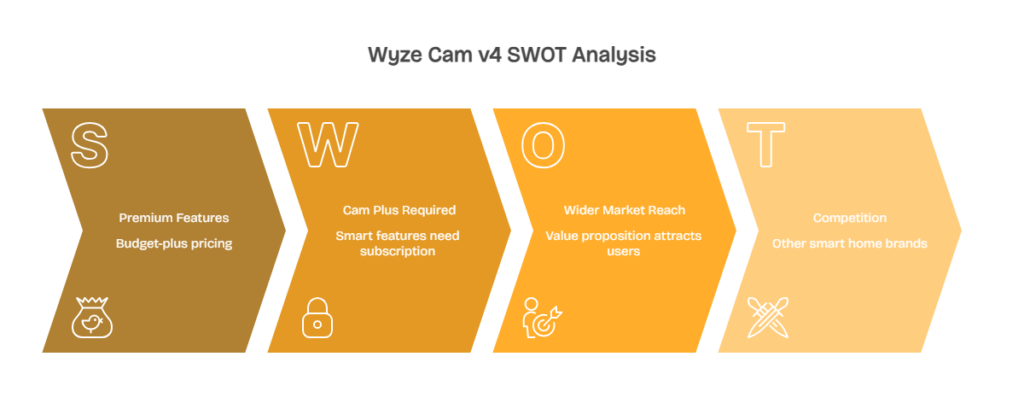
- $35.99 price is 80% higher than v3 while still requiring separate subscriptions for smart features
- Wired-only design limits placement flexibility – no battery option for remote locations
- Smart detection features require $1.99/month Cam Plus subscription despite premium hardware price
- 2.4GHz Wi-Fi limitation persists despite otherwise modernized specifications

For budget-conscious buyers comparing multiple camera brands, see our complete budget camera roundup under $100.
Feature Comparison: Wyze Cam v3 vs v4
| Feature | Wyze Cam v3 | Wyze Cam v4 |
| Price | $19.99 | $35.99 |
| Resolution | 1080p (1920×1080) | 2.5K (2688×1520) |
| Field of View | 110° diagonal | 118° diagonal |
| Night Vision | Color (Starlight) + IR | Enhanced color + IR |
| Motion Detection | Basic zones | AI (person, pet, package, vehicle) |
| Weather Rating | IP65 | IP65 |
| Audio | Two-way | Two-way (improved) |
| Storage | microSD + Cam Plus | microSD + Cam Plus |
| Wi-Fi | 2.4GHz only | 2.4GHz only |
| Best For | Budget buyers | Feature seekers |
The v4’s upgrades cluster in image quality and intelligence rather than hardware redesign. Both cameras share the same physical footprint, mounting system, and power requirements. The difference lies in what the sensor captures and how the processor interprets it. If you’re deciding between them, the choice boils down to whether 2.5K video and smarter detection justify $16 more per camera.
For multi-camera systems covering 4-8 locations, that price difference becomes $64-$128. A household monitoring front door, back door, driveway, and garage would spend $80 for v3 cameras versus $144 for v4 cameras – a $64 premium for better video quality and detection. Whether that’s worthwhile depends on your specific security priorities and budget constraints.
How Security Systems Affect Insurance Premiums
Many homeowners don’t realize that security camera systems can reduce insurance costs. Home security systems often qualify for 10-15% insurance premium discounts, helping offset the initial camera investment over time. Contact your insurance provider to verify eligibility and required features.
Total Cost of Ownership (3 Years)
| Model | Hardware (2 cameras) | Cam Plus (36 months) | Total 3-Year Cost |
| Wyze Cam v3 | $39.98 | $143.28 | $183.26 |
| Wyze Cam v4 | $71.98 | $143.28 | $215.26 |
| Difference | +$32.00 | $0 | +$32.00 |
Subscription costs equalize between models – both require Cam Plus at $1.99/month per camera for smart detection features. The hardware price gap of $32 for a two-camera system represents the only cost difference over three years. That’s roughly $0.89 per month for 2.5K resolution and enhanced AI detection.
For users planning to run cameras without subscriptions using local microSD recording, the comparison shifts. The v3’s basic motion detection and 1080p recording costs $40 for two cameras. The v4’s 2.5K recording without AI features costs $72 for two cameras. You’re paying $32 over three years purely for better video resolution since you won’t access the smart detection without subscriptions.
Should You Upgrade from Wyze Cam v3 to v4?
Existing v3 owners face a different calculation than first-time buyers. If your v3 cameras work fine for their current purpose, upgrading may not be necessary. The v3 will continue functioning and receiving security updates – Wyze hasn’t abandoned the product line.
When Upgrading to v4 Makes Sense
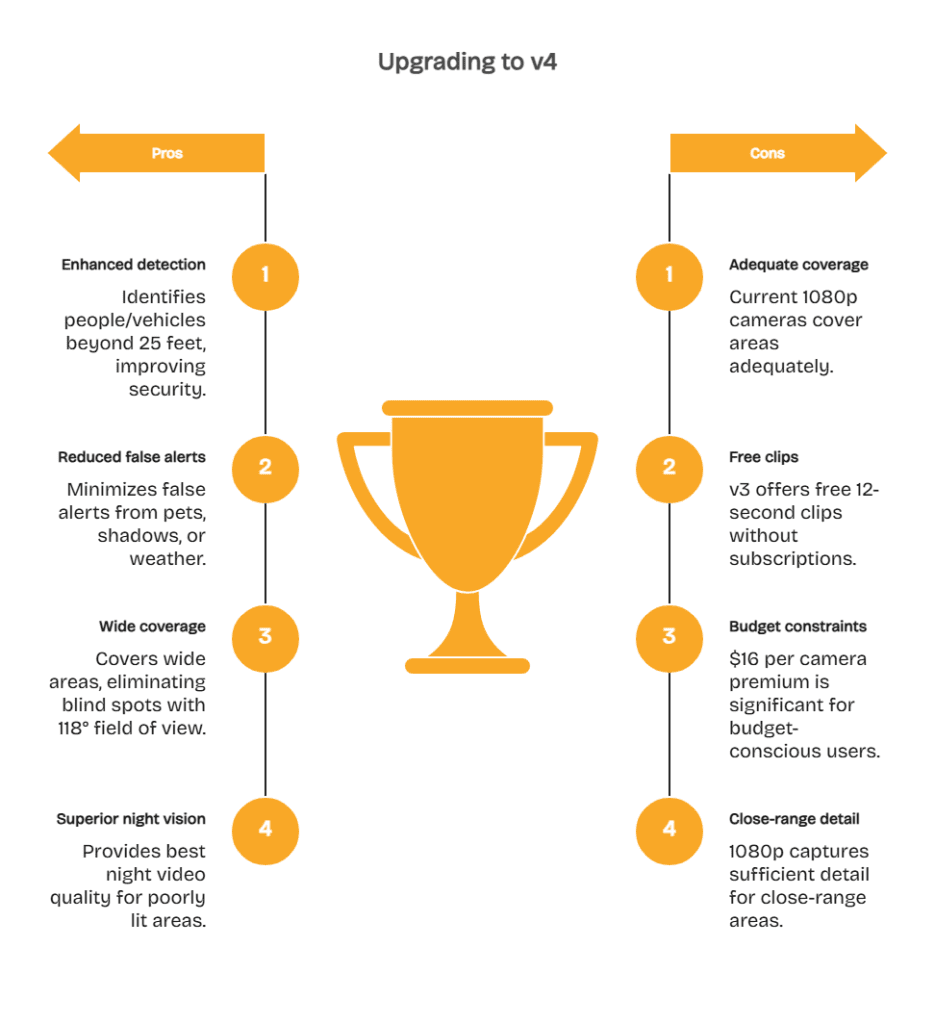
Upgrade makes sense if:
- You need to identify people or vehicles beyond 25 feet (license plates, distant faces)
- False alerts from pets, shadows, or weather frustrate you daily
- You’re covering wide areas where 118° field of view eliminates blind spots
- You want the best possible night video quality for poorly lit areas
When Sticking with v3 Is Smarter
Stick with v3 if:
- Your current cameras cover the area adequately at 1080p resolution
- You’re using free 12-second clips without Cam Plus subscriptions
- Budget constraints make the $16 per camera premium significant
- You monitor close-range areas (porches, doors) where 1080p captures sufficient detail
For new buyers, the calculation differs. If you’re starting from zero cameras, the v4’s $36 price delivers dramatically better features than competitors at $50-$100. The v3’s $20 price makes sense for covering numerous low-priority areas where basic monitoring suffices – side gates, sheds, or backup angles.

Strategic Camera Placement for Multi-Camera Systems
A hybrid approach works well: v4 cameras for critical angles (front door, driveway), v3 cameras for secondary coverage (side yard, garage interior). This balances cost against capability while maintaining consistent Wyze app management.
Network Requirements for Reliable Streaming
Remember that multiple cameras increase bandwidth demands on your home network. For households running 4+ security cameras, choosing the right router for security cameras ensures consistent streaming and reliable notifications without Wi-Fi congestion issues.
Making the Right Choice for Your Property
The Wyze Cam v3 remains the best $20 security camera available in 2026. It delivers weather-resistant outdoor capability, color night vision, and usable video quality that competitors can’t match at twice the price. For basic monitoring needs or multi-camera systems on tight budgets, the v3 provides legitimate security coverage without subscription dependencies.
The Wyze Cam v4 justifies its 80% price premium through meaningful upgrades. The 2.5K resolution, enhanced AI detection, and improved night performance elevate the camera from “good enough” to “actually good” compared to mid-range competitors. At $36, it undercuts Ring and Arlo alternatives while delivering comparable or superior features.
Your decision should prioritize coverage over per-camera perfection. Four v3 cameras monitoring all property entry points provide better security than two v4 cameras watching only the front and back. Comprehensive coverage with adequate quality beats exceptional quality with blind spots.
Ready to secure your property with budget-friendly cameras that actually work? See Batten’s Wyze camera collection for v3 and v4 models with free shipping, expert installation guides, and no-subscription local storage options.
Frequently Asked Questions
Can the Wyze Cam v4 Record Continuously Without a Subscription?
Yes, both the v3 and v4 support continuous recording to microSD cards up to 256GB capacity without subscriptions. You lose cloud backup and smart AI detection features without Cam Plus, but local recording works indefinitely. Cards typically store 7-10 days of continuous footage before overwriting oldest files.
Does the Wyze Cam v4 Work with Google Home or Alexa?
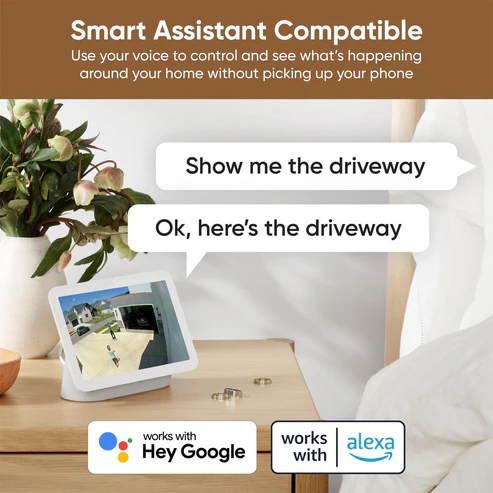
The v4 integrates with both Google Assistant and Alexa for voice control and live view streaming to smart displays. You can say “show front door camera” to view feeds on Echo Show or Nest Hub devices. Integration requires linking your Wyze account through the respective smart home apps.
What’s the Maximum Distance for Wyze Cam Night Vision?
The v3 provides usable color night vision to approximately 25 feet with spotlight assist, or infrared black-and-white to 30 feet. The v4 extends color night vision to 40 feet due to its brighter spotlight and improved sensor. Both cameras perform best with some ambient lighting rather than complete darkness.
Can I Use Wyze Cameras on 5GHz Wi-Fi Networks?
No, both the v3 and v4 only support 2.4GHz Wi-Fi connections. This limitation exists across the entire Wyze camera lineup and won’t change through firmware updates. If your home runs 2.4GHz and 5GHz networks simultaneously, ensure cameras connect to the 2.4GHz band during setup.
How Do Wyze Cameras Compare to Ring and Arlo Alternatives?
Wyze cameras cost 50-70% less than Ring and Arlo equivalents while delivering comparable core features. Ring and Arlo offer tighter smart home integration, professional monitoring options, and more polished apps. Wyze provides better value for users prioritizing coverage over ecosystem integration.
What MicroSD Card Speed Do I Need for Continuous Recording?
Use Class 10 or UHS-I rated microSD cards for reliable continuous recording. Lower-speed cards may drop frames or corrupt files during extended operation. SanDisk and Samsung EVO cards perform consistently in both v3 and v4 cameras. Avoid generic no-name brands that fail prematurely in outdoor temperature extremes.
Will My Wyze Cam v3 Stop Working When the v4 Released?
No, Wyze continues supporting the v3 with firmware updates and technical support. The v3 remains in production alongside the v4 as Wyze’s budget option. Your existing v3 cameras will function normally and receive security patches for the foreseeable future regardless of newer model releases.
Sources
- Smart Home Security Camera Market to Reach USD 15.87 Billion by 2030 with Rising AI Integration and Wireless Adoption. 2025. The Globe and Mail (GetNews / Mordor Intelligence). https://www.theglobeandmail.com/investing/markets/markets-news/GetNews/36893352/smart-home-security-camera-market-to-reach-usd-1587-billion-by-2030-with-rising-ai-integration-and-wireless-adoption/
- Crime Down in Every Category in 2024, FBI Report Says. 2025. CBS News. https://www.cbsnews.com/news/fbi-crime-report-2025/