Quick Answer: Your Ring doorbell is most likely offline because of a weak Wi-Fi signal at the door-fix it by switching to the 2.4GHz band or adding a Wi-Fi extender. If the signal is fine, check power supply, router settings, or whether Ring’s servers are down.
You open the Ring app and see the dreaded “Device Offline” notice. No live view. No recorded footage. Whatever triggered motion while you were at work-gone. It’s a frustrating problem that’s more common than Ring would like to admit.
The good news: most Ring doorbell offline issues come down to a handful of fixable causes. Wi-Fi is the culprit the majority of the time, but power issues and router settings are close behind. Work through the fixes in order below and you’ll have your doorbell back online-and keep it there.
Table of Contents
- Key Takeaways
- Why Ring Doorbells Go Offline: The Root Causes
- Fix #1: Check Your Wi-Fi Signal Strength (Start Here)
- Fix #2: Switch to the 2.4GHz Band
- Fix #3: Check Power Supply (Hardwired Doorbells)
- Fix #4: Restart Everything and Reconnect to Wi-Fi
- Fix #5: Factory Reset (Last Resort Before Replacing)
- When It’s Actually Ring’s Fault (Server Outages)
- Ring Doorbell Offline After Power Outage: What to Know
- When Fixing Your Ring Keeps Failing: Consider Alternatives
- Ring Doorbell Offline: Troubleshooting Quick Reference
- The Bottom Line: Getting Your Ring Doorbell Back Online
- Frequently Asked Questions
- Sources
Key Takeaways
- Weak Wi-Fi signal (RSSI worse than -65 dBm) is the leading cause of Ring doorbells going offline and disconnecting repeatedly.
- Switching from the 5GHz band to 2.4GHz often resolves disconnections through walls and at distance.
- Hardwired Ring doorbells need a transformer delivering at least 16 VAC, 10VA-an underpowered transformer causes intermittent offline behavior.
- Ring’s own servers experience outages periodically; before troubleshooting, check status.ring.com.
- If your Ring keeps dropping despite strong Wi-Fi, consider upgrading to a subscription-free doorbell-browse Batten’s video doorbell collection for expert-tested alternatives.
Why Ring Doorbells Go Offline: The Root Causes
Ring doorbells go offline for four main reasons. Understanding which one you’re dealing with saves time:
- Weak or unstable Wi-Fi signal – the #1 cause by far
- Wrong Wi-Fi band or router settings blocking the connection
- Insufficient power from a low-voltage transformer or dead battery
- Ring server outages affecting all users simultaneously

The fixes below address each cause in order of frequency. Start at the top.
Check out the best subscription-free video doorbells right here
Fix #1: Check Your Wi-Fi Signal Strength (Start Here)
This is where the vast majority of Ring offline issues originate. The Ring app actually shows you exactly how strong your signal is-and most people never check it.
How to Read Your RSSI Score
Open the Ring app → tap your doorbell → Settings → Device Health → Signal Strength. You’ll see an RSSI number. Here’s what it means:
- RSSI -30 to -50: Strong signal, not your problem
- RSSI -51 to -65: Marginal, can cause intermittent drops
- RSSI -66 or worse: Weak signal, almost certainly your issue
Ring officially recommends keeping RSSI between -41 and -65, with warnings about video issues at -60 and below. An RSSI of -78? Don’t be surprised if your doorbell drops offline several times a day.
What Kills Wi-Fi Signal at Your Front Door
The front door is actually one of the worst spots in a house for Wi-Fi. Your router is typically in a back room or upstairs, and the signal has to punch through walls, past appliances, and sometimes around a metal door frame. Physical barriers-especially concrete, brick, and large metal objects-cut signal significantly.
If your RSSI is in the red zone, your options are:
- Move your router closer to the front of the house (not always practical, but effective if doable)
- Add a Wi-Fi extender placed halfway between your router and the door
- Use a mesh Wi-Fi system like eero, which eliminates dead zones more reliably than a single extender
- Try Ring Chime Pro, which acts as both a Wi-Fi extender for Ring devices and an indoor chime
Browse Batten’s home security collection for Wi-Fi range extension and smart home security options vetted by our team.
Fix #2: Switch to the 2.4GHz Band
This fix surprises people, but it’s often the answer. Ring doorbells-especially older models-work better on 2.4GHz Wi-Fi than 5GHz, even if your phone shows a strong 5GHz signal near the door.
2.4GHz vs. 5GHz: The Simple Explanation
5GHz Wi-Fi is faster but has shorter range and struggles to penetrate walls. 2.4GHz is slower but travels farther and passes through building materials much more effectively. For a doorbell mounted outside, the wall between your router and the device matters more than speed.
The Ring Pro 2 and newer dual-band models can connect to either band. The problem: if your router broadcasts both bands under the same network name, the doorbell will often grab 5GHz-even when 2.4GHz would give it a more stable connection through that exterior wall.
How to Force 2.4GHz
Option 1 (Easiest): Log into your router’s admin panel and split your networks into two separate SSIDs-one called “HomeNetwork” and one called “HomeNetwork_5G.” Connect your Ring doorbell only to the 2.4GHz network name.
Option 2: Temporarily disable your router’s 5GHz band, complete a fresh Ring setup, then re-enable 5GHz. Your Ring will stay on 2.4GHz.
Option 3: Set up your Ring doorbell on a neighbor’s hotspot or your phone’s mobile hotspot (2.4GHz only) to test if it stays connected. If it does, the band is your problem.
Router Channel Selection
Even on 2.4GHz, your channel matters. The 2.4GHz band has three non-overlapping channels: 1, 6, and 11. If you’re in a dense neighborhood or apartment building and every network is on channel 6, you’ll see interference. Log into your router and manually select the least-congested channel-your phone’s Wi-Fi analyzer app can show you which channels neighbors are using.
Fix #3: Check Power Supply (Hardwired Doorbells)
If your doorbell is hardwired and keeps dropping offline despite decent Wi-Fi, the transformer is the next thing to check. This is an underdiagnosed cause that sends people down a rabbit hole of router troubleshooting when the real fix is a $20 transformer.
What Power Does Your Ring Doorbell Need?
Ring’s power requirements vary by model:
- Ring Video Doorbell Wired: 8–24 VAC, 8–40 VA
- Ring Video Doorbell Pro / Pro 2: 16–24 VAC, 10–40 VA
- Battery models (hardwired for trickle charge): 8–24 VAC, 5–40 VA
Many older homes have transformers running at 8V or 10V-fine for a traditional doorbell chime, but not enough for a Ring Pro or Pro 2. The doorbell will connect, function intermittently, then drop offline as it struggles with insufficient voltage. You might also notice it loses connection right after someone presses the button-that’s a classic power starvation symptom.
How to Check Your Transformer
Turn off the circuit breaker for your doorbell. Locate the transformer-usually near your indoor chime, at the electrical panel, or tucked in a utility closet. The voltage and VA rating are printed directly on the unit. If yours is below 16V for a Pro model, that’s your issue.
Ring sells a compatible 16 VAC, 30 VA Hardwired Transformer for this exact scenario. A licensed electrician can swap it in under an hour if you’re not comfortable with low-voltage wiring.
Loose Wiring and Frayed Connections
Before replacing a transformer, check the terminal screws on the back of your doorbell. A loose wire-especially after seasonal temperature changes cause expansion and contraction-can cause intermittent power drops that look exactly like Wi-Fi issues. Ring recommends 16- to 20-gauge wire for all hardwired installations. Older homes sometimes have undersized wiring that can’t carry adequate voltage over longer runs.
Fix #4: Restart Everything and Reconnect to Wi-Fi
Before you start changing hardware, a clean restart clears a surprising number of offline issues. Network devices accumulate stale connection data. Restarting forces everything to negotiate fresh.
The Restart Sequence That Actually Works
Do this in order-the sequence matters:
- Unplug your modem (the box from your ISP), wait 30 seconds
- Unplug your router separately if it’s a different device, wait 30 seconds
- Plug the modem back in and wait until its lights stabilize (usually 2 minutes)
- Plug the router back in, wait until Wi-Fi is broadcasting
- Power cycle your Ring doorbell – for battery models, remove and reinsert the battery; for hardwired, flip the circuit breaker off for 10 seconds
Give everything 2–3 minutes to fully come back online before checking the Ring app.
Reconnect to Wi-Fi Through the App
If your Ring doorbell shows offline after the restart, reconnect it manually:
Ring app → Menu (three lines) → Devices → select your doorbell → Device Health → Reconnect to Wi-Fi → follow in-app steps
This forces the doorbell to re-authenticate with your network rather than trying to use potentially stale credentials.
Fix #5: Factory Reset (Last Resort Before Replacing)
If your Ring doorbell won’t stay connected despite strong signal, correct power, and good router settings-and it’s not a Ring server issue (see below)-a factory reset is the nuclear option.
Warning: A factory reset deletes all your settings and stored videos. Download anything you want to keep before proceeding.
How to Factory Reset a Ring Doorbell
The reset process varies slightly by model, but the general steps are:
- Locate the orange setup/reset button on the back or underside of the doorbell
- Hold it down for 20 seconds
- Release – the doorbell will flash and go through a startup sequence
- Reinstall the device from scratch using the Ring app → Set Up a Device
After a reset, walk through setup as if it’s a brand-new device. Choose your Wi-Fi band deliberately (2.4GHz is recommended for most installations), and check your RSSI score in Device Health before considering the job done.
When It’s Actually Ring’s Fault (Server Outages)
Here’s something Ring support won’t lead with: sometimes your doorbell is perfectly fine and Ring’s servers are the problem.
Ring experienced a notable outage on October 20, 2025, tied to a widespread AWS (Amazon Web Services) DNS failure that took cameras and doorbells offline for users across the US and UK. Ring has logged more than 97 outages since 2022 according to monitoring services that track their official status page.
How to Check if Ring Is Down
Before spending an hour restarting routers and checking transformers, do this first:
- Visit status.ring.com – Ring’s official status page showing real-time system health
- Check downdetector.com/status/ring for real-time user-reported outages and location maps
If Ring’s status page shows degraded performance or an active incident, there’s nothing for you to fix. Wait it out. Your device will reconnect automatically once their servers recover-don’t factory reset during an outage.
Ring Doorbell Offline After Power Outage: What to Know
Power outages are one of the most common triggers for Ring doorbells going offline and not coming back on their own. Here’s what typically happens and what to check:
When power is restored, your internet modem and router need 2–3 minutes to fully come back online before other devices can connect. Your Ring doorbell may try to reconnect before your Wi-Fi is ready, fail, and then not retry properly.
Quick fix after a power outage:
- Wait 5 minutes after power restoration before checking the Ring app
- If still offline, do the full restart sequence described in Fix #4
- Check your router for power surge damage (a cheap surge protector is worth the investment)
Battery-powered Ring models will survive a power outage with zero issues since they’re not wired. Hardwired models lose power entirely during the outage and sometimes need a manual reconnect after power returns.
When Fixing Your Ring Keeps Failing: Consider Alternatives
If you’ve worked through every fix here and your Ring doorbell still drops offline regularly, the honest answer may be that Ring’s cloud-dependent architecture is a fundamental limitation for your setup.
Ring’s entire operation depends on a live connection to Amazon’s cloud servers. No internet, no recording. No cloud, no history. For homes with unreliable Wi-Fi at the door, aging wiring, or areas with regular outages, that dependency creates ongoing frustration.
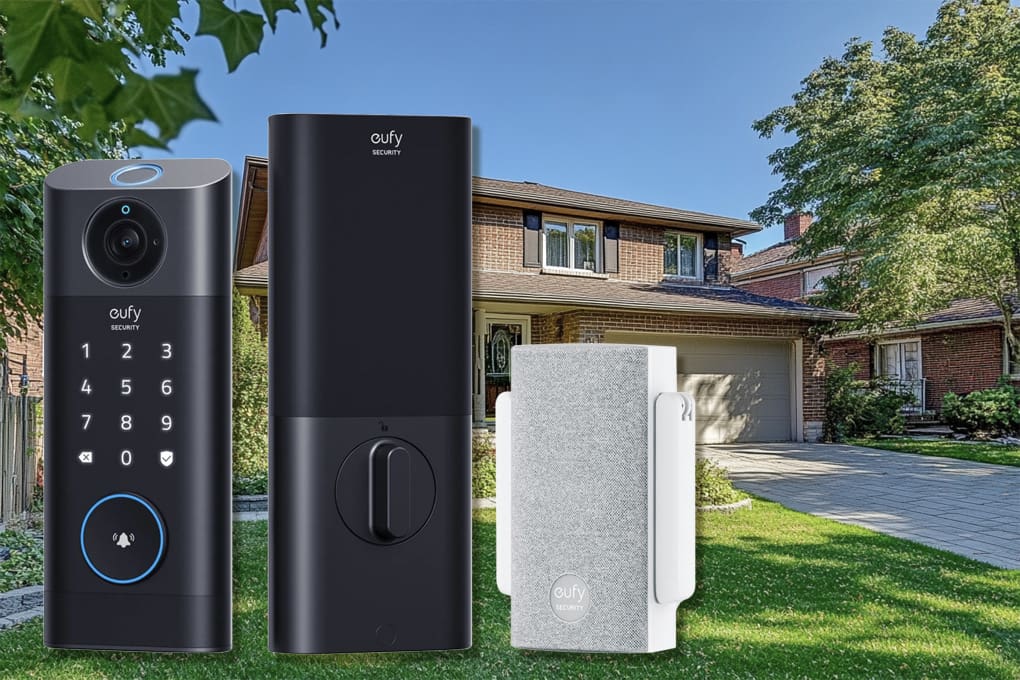
Subscription-free alternatives like the Eufy Video Doorbell E340 and S330 store footage locally on built-in memory-meaning they keep recording even when your internet is unstable, and you’re never paying $5–$20/month just to access your own video history.
Browse Batten’s expert-tested video doorbell collection to compare subscription-free alternatives with local storage. If cloud dependency is your core frustration with Ring, a local-storage doorbell solves the problem structurally rather than with workarounds.
Ring Doorbell Offline: Troubleshooting Quick Reference
| Symptom | Most Likely Cause | First Fix to Try |
| Offline after router restart | Reconnect needed in app | Device Health → Reconnect to Wi-Fi |
| Drops offline repeatedly | Weak Wi-Fi (RSSI) | Check RSSI; add extender or switch to 2.4GHz |
| Offline after pressing button | Underpowered transformer | Check transformer VAC/VA rating |
| Works then drops in minutes | Band steering grabbing 5GHz | Separate SSIDs; force 2.4GHz |
| Offline for hours, no pattern | Ring server outage | Check status.ring.com |
| Offline after power outage | Router took time to come back | Wait 5 min; full restart sequence |
| Spinning white light, no connect | Corrupted Wi-Fi settings | Factory reset and fresh setup |
The Bottom Line: Getting Your Ring Doorbell Back Online
Most Ring doorbell offline issues resolve with one of four fixes: strengthening the Wi-Fi signal, switching to 2.4GHz, upgrading an underpowered transformer, or doing a clean restart sequence. Start with signal strength-check your RSSI in Device Health before anything else.
If your doorbell keeps dropping offline after you’ve addressed signal and power, check status.ring.com before pulling out your toolbox. Ring outages do happen and are completely outside your control.
For Ring doorbells that seem to fight you at every turn, consider whether a local-storage alternative would serve your home better. The best security device is the one that stays online reliably-not the most popular brand. Explore Batten’s home security collection for options our experts have tested for real-world reliability.
Frequently Asked Questions
Why Does My Ring Doorbell Keep Saying Offline Even Though My Wi-Fi Is Working?
Your other devices may connect fine while Ring struggles because doorbells sit at the Wi-Fi edge-literally outside the house. Check your RSSI score in Device Health; anything worse than -65 dBm will cause intermittent disconnects even when other devices show full bars. Adding a Wi-Fi extender closer to the door typically resolves this.
How Do I Fix My Ring Doorbell After a Power Outage?
Wait five minutes after power returns, then check the Ring app. If still offline, unplug your modem and router for 30 seconds each, restart them, and let your network fully come back online before checking Ring again. Hardwired doorbells sometimes need a manual Wi-Fi reconnect via Device Health in the Ring app.
Does Ring Doorbell Work on 5GHz Wi-Fi?
Some Ring models support 5GHz (including Ring Pro 2 and Ring Doorbell 4), but 2.4GHz typically provides a more stable connection through exterior walls. If your doorbell supports both, connecting it to a dedicated 2.4GHz network often eliminates recurring disconnections.
What RSSI Is Too Weak for a Ring Doorbell?
Ring recommends RSSI between -41 and -65 dBm. Values of -66 to -70 are marginal and often cause video quality issues; anything below -70 is likely causing offline events. Check RSSI in the Ring app under Device Health → Signal Strength.
Can I Use a Ring Doorbell Without Internet?
Ring requires an active internet connection to function-live view, motion recording, and alerts all route through Ring’s cloud servers. Battery-powered models can still ring the indoor chime without internet, but you’ll lose all smart features. If local recording without internet is a priority, look at subscription-free alternatives like Eufy or Reolink that store footage on-device.
How Do I Check if Ring’s Servers Are Down?
Visit status.ring.com for Ring’s official real-time status. For broader outage confirmation, downdetector.com/status/ring shows crowd-sourced reports. Ring has experienced multiple outages tied to Amazon Web Services (AWS) infrastructure issues, including a significant outage in October 2025.
Should I Factory Reset My Ring Doorbell to Fix Offline Issues?
Only as a last resort. A factory reset erases all settings and video history. Try checking RSSI, switching Wi-Fi bands, restarting your router, and reconnecting via Device Health first. If all else fails and Ring support can’t help, a fresh reset and setup occasionally resolves persistent connection issues caused by corrupted network credentials.
Sources
- “Understanding Wi-Fi Recommendations for Ring Devices,” 2025, Ring Support, https://ring.com/support/articles/92bd2/Understanding-wifi-recommendations-for-Ring-devices
- “Fixing Offline Devices,” 2025, Ring Support, https://ring.com/support/articles/uii72/fixing-offline-devices
- “Troubleshooting Power for Hardwired Doorbells,” 2025, Ring Support, https://ring.com/support/articles/nrv6o/Troubleshooting-power-for-hardwired-doorbells
- “Checking if Your Existing Doorbell Wiring Is Compatible with Ring Video Doorbells,” 2025, Ring Support, https://ring.com/gb/en/support/articles/ae586/Checking-if-your-existing-doorbell-wiring-is-compatible-with-Ring-Video-Doorbells
- “Ring RSSI – What Does It Mean?,” 2024, 3Roam, https://3roam.com/ring-rssi/
- “Ring Doorbell WiFi Requirements,” 2025, ShopSavvy, https://shopsavvy.com/answers/ring-doorbell-wifi-requirements-24ghz-signal-strength-network
- “RSSI: How to Check RSSI Value,” 2024, NetSpot, https://www.netspotapp.com/wifi-signal-strength/what-is-rssi-level.html
- “Ring Doorbell Outage Today,” October 2025, Hollywood Life, https://hollywoodlife.com/2025/10/20/ring-doorbell-outage-today/
- “Ring Status History,” 2025, StatusGator, https://statusgator.com/services/ring
- “Ring Last Outage Was November 12, 2025,” 2025, IsDown, https://isdown.app/status/ring
- “Can I Force Doorbell Pro 2 to Use 2.4GHz?,” 2022, Ring Community, https://community-ring.sprinklr.com/conversations/ring-video-doorbell/can-i-force-doorbell-pro-2-to-use-24ghz/65803fc251f6e6fe783fe3ab
- “Best Video Doorbell Cameras Without a Subscription,” 2025, Consumer Reports, https://www.consumerreports.org/home-garden/home-security-cameras/best-video-doorbell-cameras-without-a-subscription-a1134473783/
- “A Guide to Subscription-Free Smart Doorbell Cameras,” 2025, SafeHome.org, https://www.safehome.org/doorbell-cameras/best/no-subscription/